
Courses
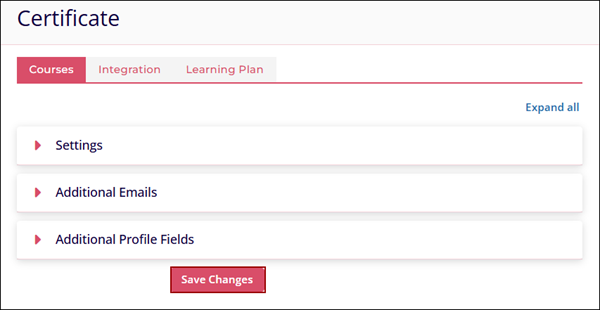
The Courses tab allows users to customize a certificate for individual courses. Once learners complete a course, the certificate they receive will be dependent on the customizations made in the Settings tab.
To customize the certificate appearance, follow the steps below.
- On the Courses tab, configure the following settings.
- Certificate*
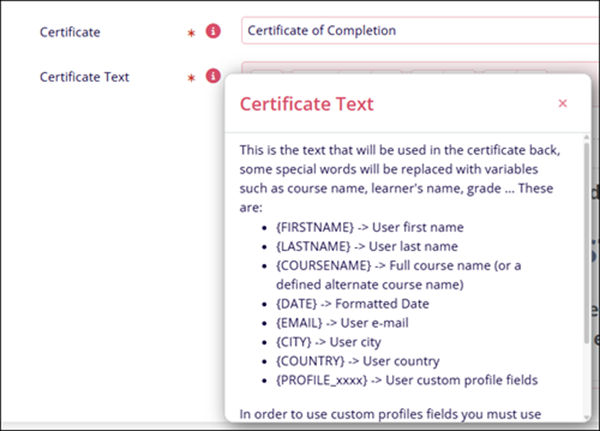
- Certificate Text*
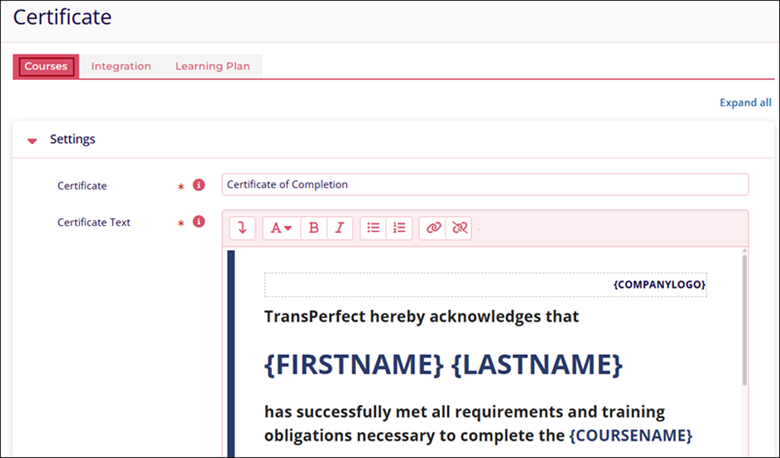
- Click on the help (?) icon to learn more about the fields.
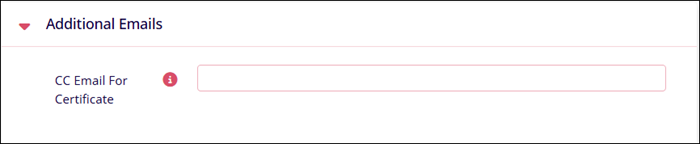
- In the Additional Emails section, specify a comma-separated list of CC email addresses in the CC Email For Certificate field. These email addresses can be individual or general.
- Whenever learners complete a course and receive a certificate, users with the specified
email addresses will be notified, irrespective of the course type and their role
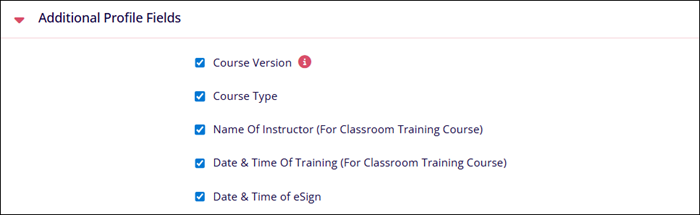
- Enable or disable the visibility of Additional Profile Fields on the certificate by
selecting or deselecting each field's checkbox.
- Click on the Save Changes button once the configurations are completed.

TransPerfect’s Trial Interactive is an industry leader in practical, global eClinical innovation
PRODUCTS
 Linkedin
 X
X
Didn’t find what you need?
Our dedicated Project Management and Client Services team will be available to meet your needs
24 hours a day, 7 days a week.
Toll Free:
(888) 391-5111
help@trialinteractive.com
© 2025 Trial Interactive. All Rights Reserved

