
Importing Countries in Bulk
To Import Countries in Bulk, follow these steps:
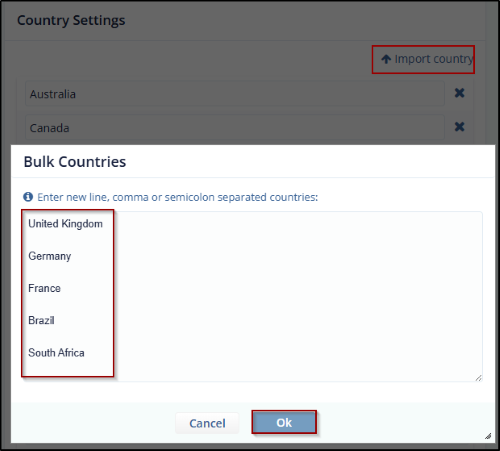
- Click the Import country button from the Country Settings. The Bulk Countries dialog box opens which provides a long text box to enter the list of countries and two buttons: Cancel and OK.
- Enter the countries list as specified in the message above the textbox and click OK.
- The Countries are added to the Country list.
© 2025 Trial Interactive. All Rights Reserved

