
Adding Countries Manually
To add countries manually, follow these steps:
- From the Settings menu, navigate to General>Country Settings.
- The Country Settings tab displays the following:
- The Import country button.
- The textboxes to add the country in a list.
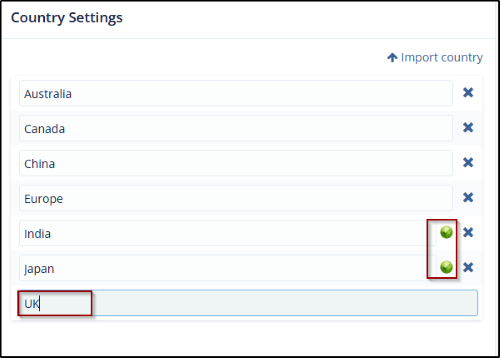
- Enter the country name in the textbox with the text Another….and press Enter on the keyboard. The country gets added to the list with a green tick next to it.
- Click cross next to the Country name to remove the country from the list.
© 2025 Trial Interactive. All Rights Reserved

