
Add Required Doc
Follow the steps below to add a required document to the country:
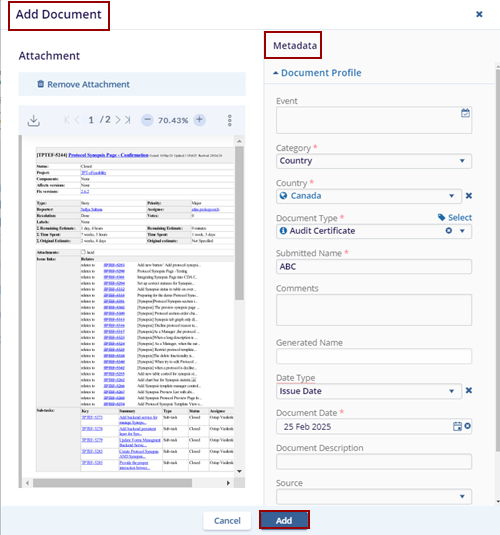
- Click the Add Doc button displayed in the top menu bar, this opens the Add Document popup window.
- Drag & Drop the required files or click the Browse File option.
- Select the file from the Windows Explorer and click Open. The selected files get uploaded.
- Fill in the metadata and click ADD. The
document is added to the country.
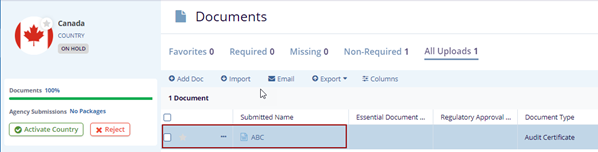
- Locate the document and click the Document drop-down to edit the document.
- Click the Edit option, the metadata panel is
opened on the right side of the screen.
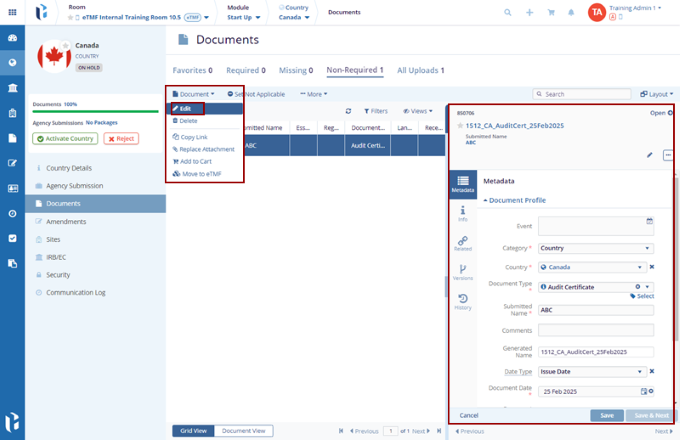
- Edit the fields and click the Save button on the metadata panel the edited fields get updated.
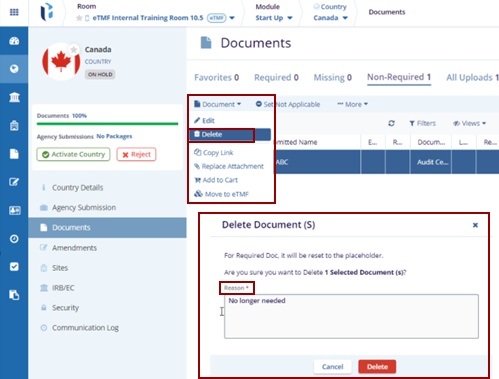
- Locate the document and click the Document drop-down arrow.
- Click the Delete option, and the
Delete Document(s) pop-up window is displayed with
the Reason box.
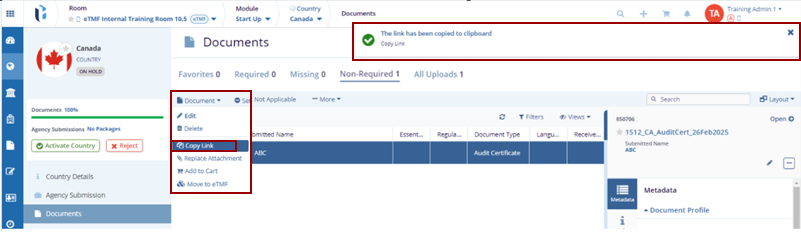
- Locate the document and click the Document drop-down arrow.
- Click the Copy Link option, the notification
message is displayed on the top right of the screen.
- Locate the document and click the Document drop-down arrow.
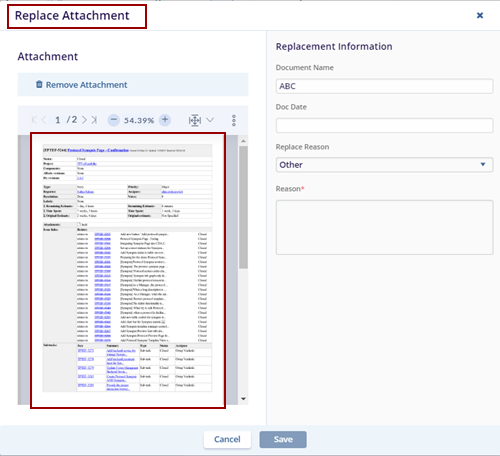
- Click the Replace Attachment option. The
Replace Attachment pop-up window is displayed with
the existing attachment.
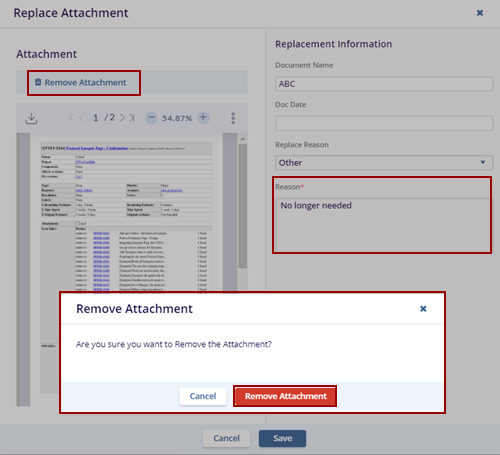
- To remove the attachment, the user needs to provide a reason in the Reason box and click Remove Attachment.
- The Remove Attachment pop-up window is displayed with the Cancel and Remove Attachment buttons.
- Now the user can attach the new document attachment as per the
requirement and then click the Save button.
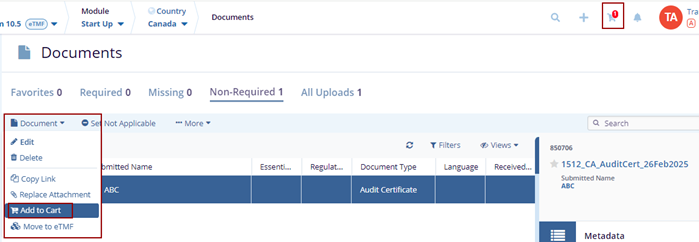
- Locate the document and click the Document drop-down arrow.
- Click the Add to Cart option. The selected
document gets added to the cart.
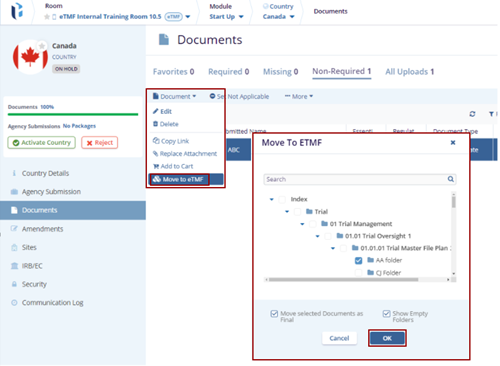
- Locate the document and click the Document drop-down arrow.
- Click the Move To eTMF option. The Move To eTMF pop-up window is displayed with the list of the available folders in eTMF.
- Select the appropriate folder from the list and click the
OK button.
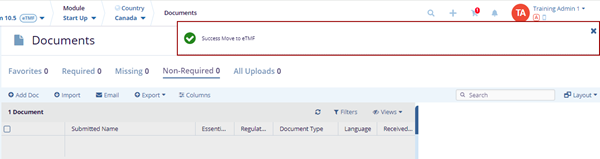
- The Success Move to eTMF notification message is displayed on the top right
of the screen.

TransPerfect’s Trial Interactive is an industry leader in practical, global eClinical innovation
PRODUCTS
 Linkedin
 X
X
Didn’t find what you need?
Our dedicated Project Management and Client Services team will be available to meet your needs
24 hours a day, 7 days a week.
Toll Free:
(888) 391-5111
help@trialinteractive.com
© 2025 Trial Interactive. All Rights Reserved

