
IRB/EC
The additional IRB/EC organizations can be added, edited, or deleted as needed from this menu.
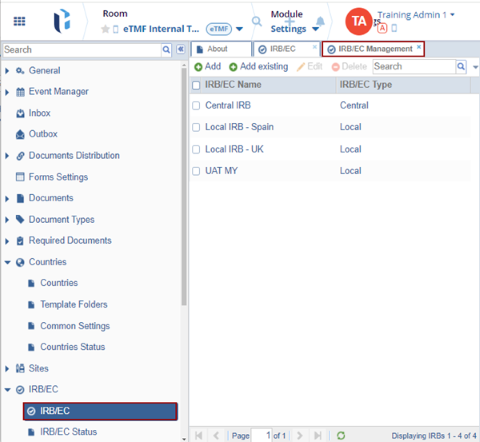
To add a new entry, follow the steps below:
- Click the Add button. The IRB/EC window is displayed with the Profile tab
by default.
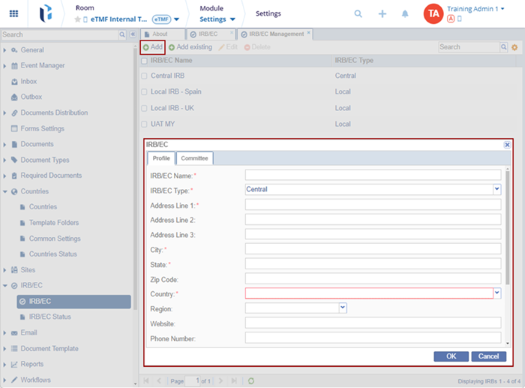
- Fill in all the required fields and click OK within the Profile tab.
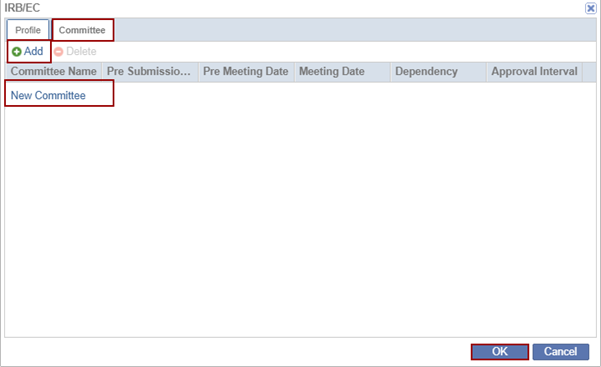
- Click the Committee tab within the IRB/EC window.
- Click Add. The New Committee field gets added below. Double-click to rename the Committee.
- Click OK.
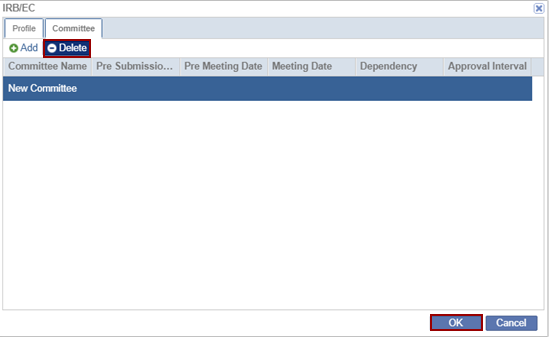
- Select the Committee and click Delete. The created committee is removed.
Adding Existing IRB/EC
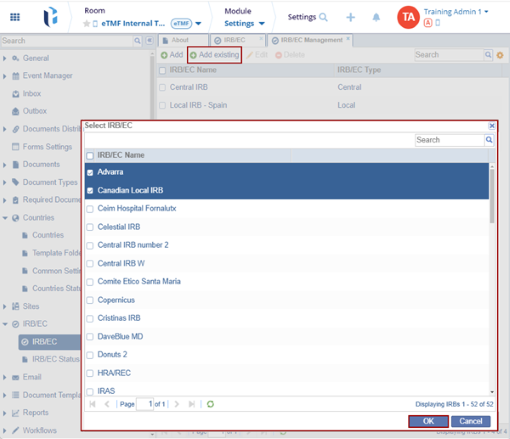
- Click the Add Existing button. The list of organizations stored at a domain level is displayed.
- Locate the appropriate organization and press the OK button to add them to the
room list.
Editing Existing IRB/EC
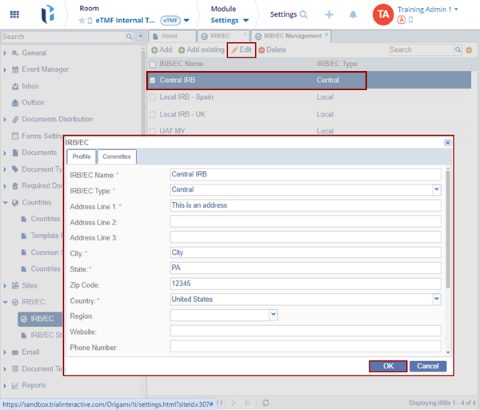
- Locate the IRB/EC Name and click the Edit button.
- The IRB/EC window opens with the existing information with the editable fields.
- Make the changes and click OK.
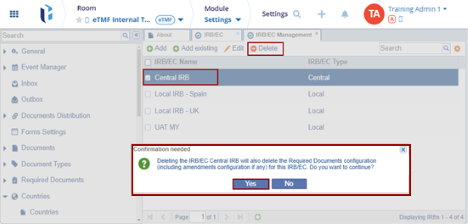
- Locate the IRB/EC Name and click the Delete button, the selected IRB/EC gets deleted.

TransPerfect’s Trial Interactive is an industry leader in practical, global eClinical innovation
PRODUCTS
 Linkedin
 X
X
Didn’t find what you need?
Our dedicated Project Management and Client Services team will be available to meet your needs
24 hours a day, 7 days a week.
Toll Free:
(888) 391-5111
help@trialinteractive.com
© 2025 Trial Interactive. All Rights Reserved

