
IRB/EC Status
The IRB/EC Status, the users can see the statuses of the IRB/EC documents. Refer to the screenshot below:
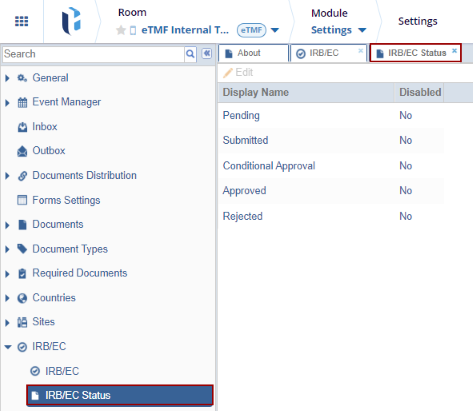
Follow the steps below:
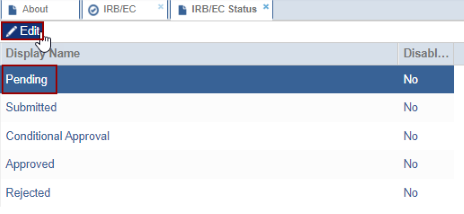
- Select the Display Name in the IRB/EC Status
and click the Edit button.
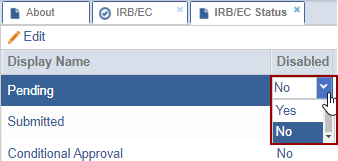
- The user can see that the Disabled column gets editable and the
user can see the drop-down options from where the user can assign the ‘Yes’ and ‘No’

TransPerfect’s Trial Interactive is an industry leader in practical, global eClinical innovation
PRODUCTS
 Linkedin
 X
X
Didn’t find what you need?
Our dedicated Project Management and Client Services team will be available to meet your needs
24 hours a day, 7 days a week.
Toll Free:
(888) 391-5111
help@trialinteractive.com
© 2025 Trial Interactive. All Rights Reserved

