
Search and Filter
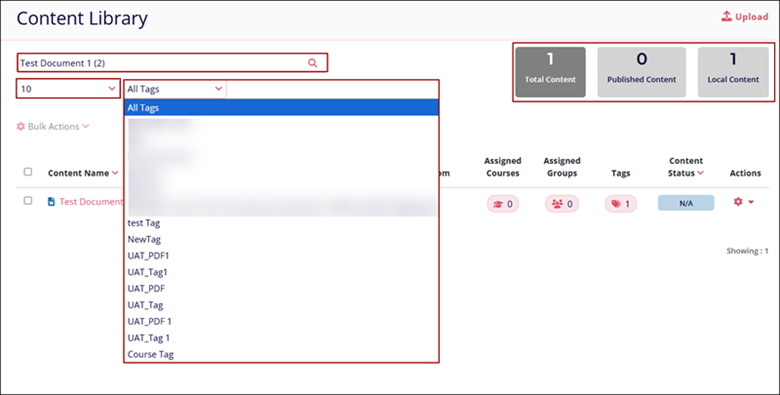
To search for specific content and filter the Content Library screen, follow the steps below.
- Enter the search term in the Search box, and the screen will display the filtered records.
- Click on the All-Tags filter dropdown and select a tag name.
- Click onthe Total Content, Published Content, and Local Content tabs to view the respective records.
- Click on the Pagination dropdown to select the number of records to display on a single
page.
Note:
The filters will only apply to the records displayed on the Content Library screen after entering the search term.
© 2025 Trial Interactive. All Rights Reserved

