
Delete Q&A
To delete a question, follow the steps below:
- Navigate to the Q&A Module and select the Q&A tab.
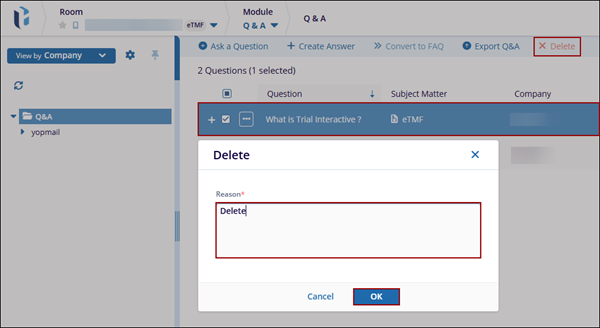
- Select a question and click Delete from the top menu bar.
- Mandatorily specify a reason for the deletion and click OK.
To delete a question, follow the steps below:
© 2025 Trial Interactive. All Rights Reserved

