
Submissions by Month
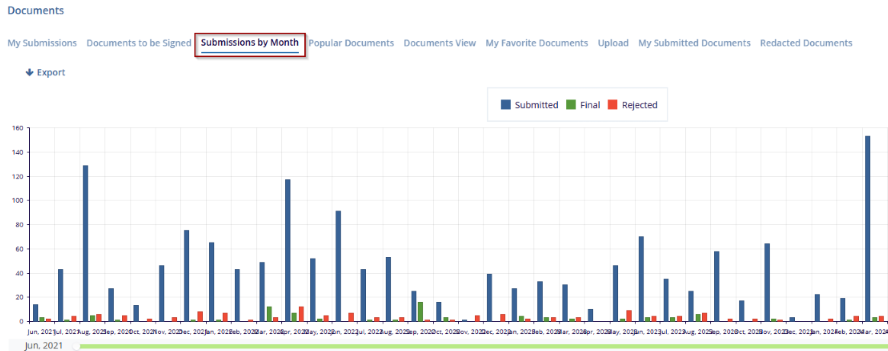
In the Documents section, select Submissions by Month from the menu at the top. This view displays a bar chart representing the number of document submissions per month, categorized by submission status.
Each bar in the chart is color-coded to indicate the status of the documents:
- Blue represents documents that have been submitted.
- Green represents the final documents.
- Red represents rejected documents.

TransPerfect’s Trial Interactive is an industry leader in practical, global eClinical innovation
PRODUCTS
 Linkedin
 X
X
Didn’t find what you need?
Our dedicated Project Management and Client Services team will be available to meet your needs
24 hours a day, 7 days a week.
Toll Free:
(888) 391-5111
help@trialinteractive.com
© 2025 Trial Interactive. All Rights Reserved

