
Effectiveness Check
An Effectiveness Check in QMS is a type of action item used to verify whether a CAPA has successfully addressed a problem and that implemented actions have successfully mitigated risks, ultimately preventing recurrence.
Important
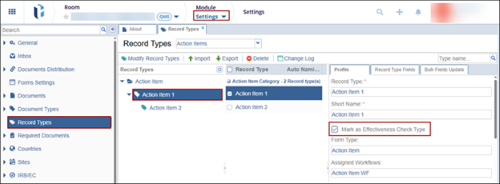
- To designate an Action Item as an effectiveness check, the Mark as Effectiveness
Check checkbox must be checked from Room Settings > Record Types > Action Item
record > Profile tab.
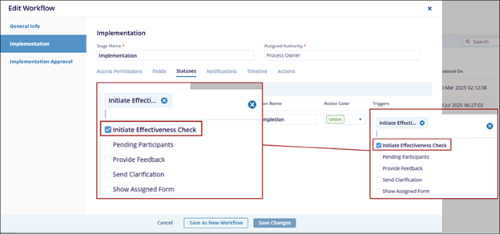
- To enable the creation of an effectiveness check through a CAPA, the CAPA workflow
must include the Initiate Effectiveness Check trigger linked to an action within a
specific stage.
To create and process an effectiveness check record, follow the steps below
- Create and submit a CAPA record by referring to the steps detailed in the Create CAPA section.
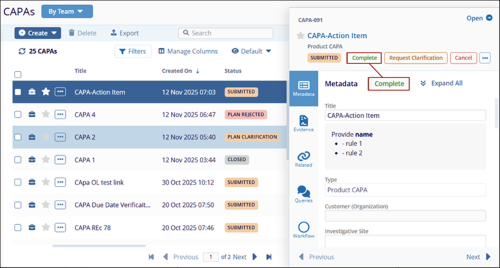
- As the authority in the first stage, claim the record and click on the
Complete button.
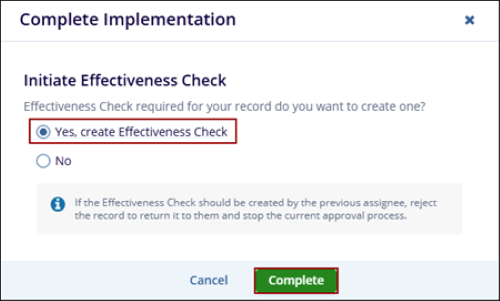
- On the Complete Implementation form, select Yes, create Effectiveness Check and
click on the Complete button.
- On the Effectiveness Check Required form, fill in the mandatory details and click on
the Next button.
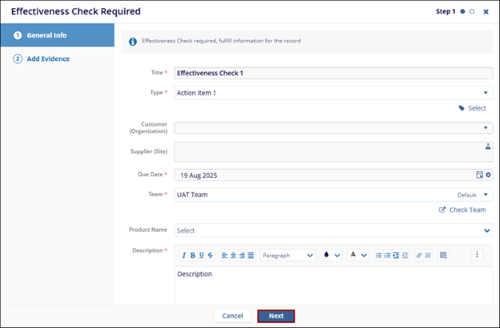
- Upload evidence and click on the Create & Submit For Review button.
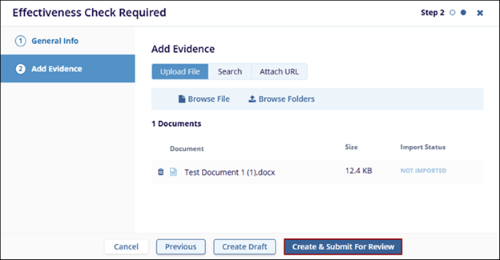
- Enter a comment on the Submit for Review popup and click on the Submit button.
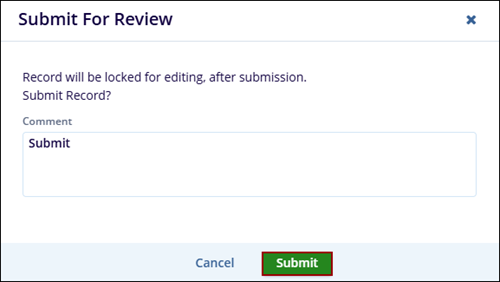
- Choose the appropriate workflow from the Workflows wizard and click on the
Select button.
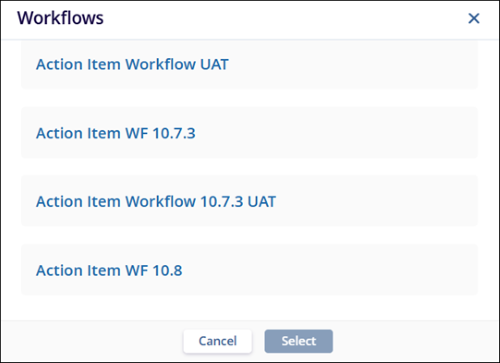
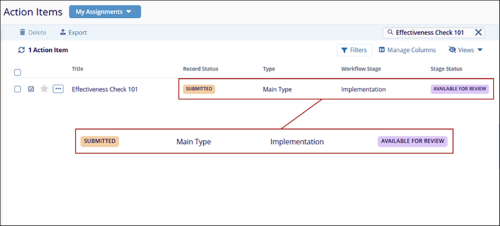
- Once the record is successfully submitted, navigate to the Action Items tab from the
left-hand navigation pane and view the record.
-
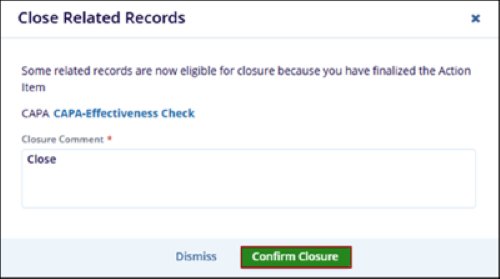
Approve and close the record by following the steps detailed in the Approve Action Item section. The Close Related Records modal opens.
- Mandatorily enter a closure comment and click on the Confirm Closure button.
Important
- In the above example, the Close Related Records appears since the CAPA record needs to be closed as the related effectiveness check record is closed.
- If the Effectiveness Check record is not closed, users will not be able to close the related CAPA record, depending on the Close Condition configurations in the room settings.
© 2025 Trial Interactive. All Rights Reserved

