
Manage Profile Fields
Edit Profile Field
To edit a profile field, follow the steps below:
- Click on the Edit icon of the profile field to edit.
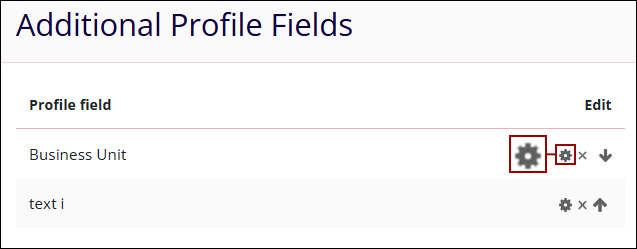
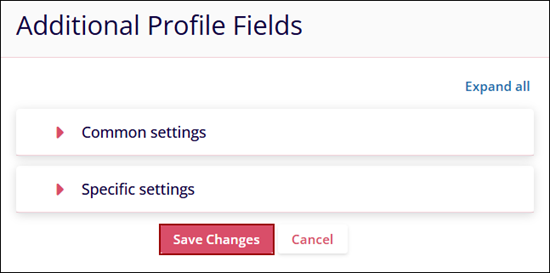
- Make the required changes to the common and specific settings and Click on the
Save Changes button.
Delete Profile Field
To delete a profile field, follow the steps below:
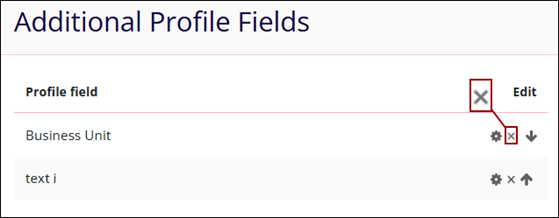
- Click on the Delete icon for the profile field to delete.
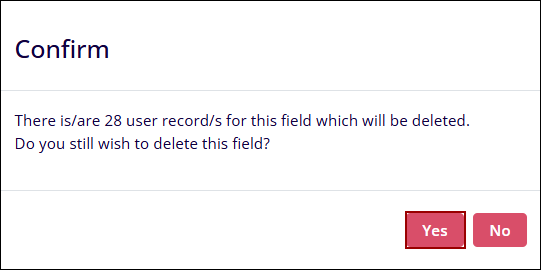
- On the profile deletion confirmation popup, click on the Yes button.
Rearrange Profile Fields
To rearrange profile fields in the desired order, follow the steps below:
- Click on the Up and Down arrows of the profile fields to rearrange them in the
desired order.
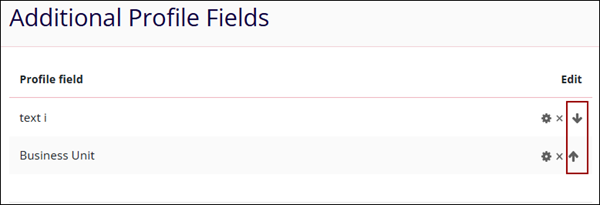
- Once the fields are organized in a specific order, they will appear in the same order on the User details panel of the user profile.
© 2025 Trial Interactive. All Rights Reserved

