
Delete Site Roles
To delete Site Roles, follow the steps below.
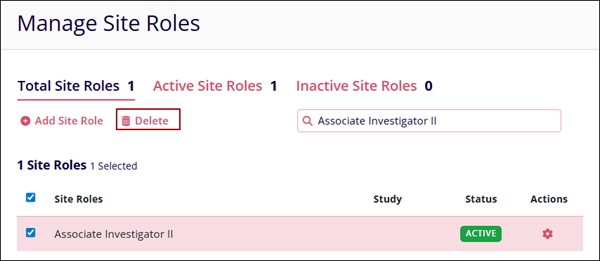
- Select site role(s) by checking their respective checkboxes.
- Click on the Delete button from the top menu bar to delete a site.
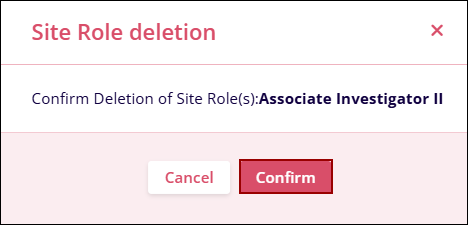
- Click on the Confirm button on the Site Role deletion confirmation popup.

TransPerfect’s Trial Interactive is an industry leader in practical, global eClinical innovation
PRODUCTS
 Linkedin
 X
X
Didn’t find what you need?
Our dedicated Project Management and Client Services team will be available to meet your needs
24 hours a day, 7 days a week.
Toll Free:
(888) 391-5111
help@trialinteractive.com
© 2025 Trial Interactive. All Rights Reserved

