
Search Contacts
To search contacts, follow these steps:
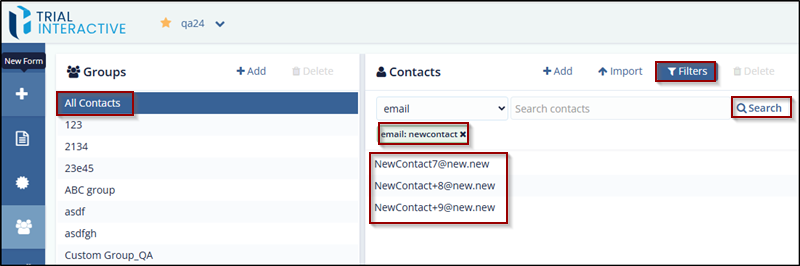
- Select the Group from the Groups section from which user want to search contact or select all contacts.
- Click the Filters icon from the Contacts pane. The Search option is enabled.
- Enter the Contact name or email in the search box. The contact
is displayed in the search section if available.
© 2025 Trial Interactive. All Rights Reserved

