
Contact Details
The user can View, Edit and Delete the Contact from Contact Details section.
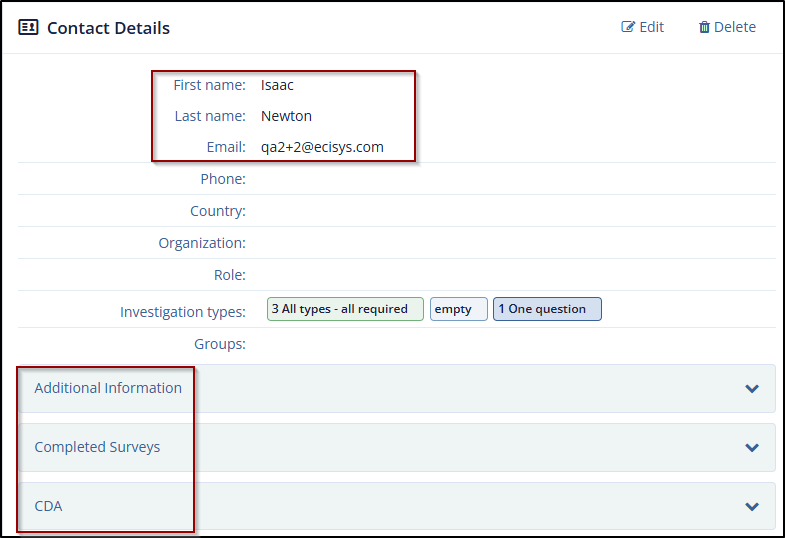
The Contact Details section displays the following sections:
- Contact Details: This section displays the Contact Name along with the contact fields.
- Additional Information: This section displays the Custom Contact Fields.
- Completed Surveys: This section displays the table of completed Surveys by the contact with the columns Title, Date Completed, and Preview (eye icon) option to view a Survey and Download option to download a Survey.
- CDA: This section displays the Title, Status, the last updating of the form and the
actions to take on the form.
- Preview: Click the Preview icon to open the form in a new tab.
-
Download: Click the Download icon to download a PDF of the form.
-
Click the Down Arrow icon to the right of every section header to expand it. This arrow icon is converted to horizontal line after expanding the section. Click the icon to collapse the section. Refer to the below screenshot.
-
Edit Contact
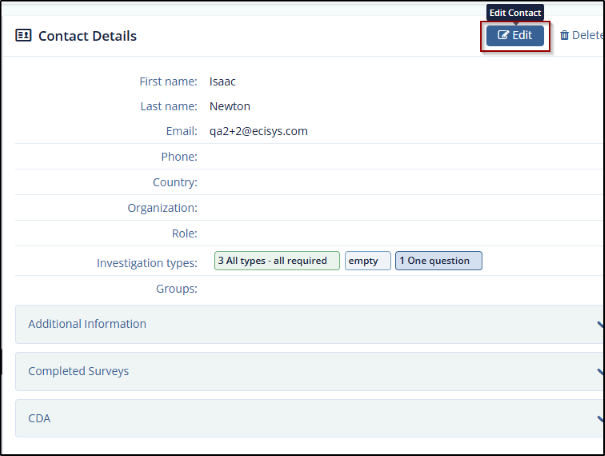
To edit the Contact:
- Click the Edit button in the top right corner of Contact Details section.
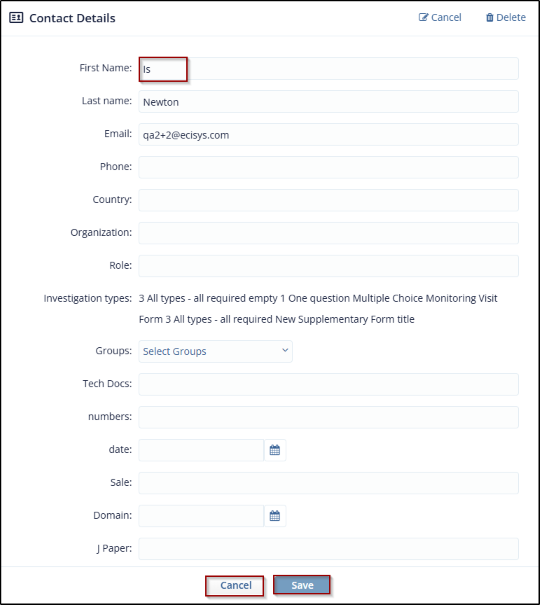
- The Contact Details section displays all Contact fields that are editable along with three
buttons:
- Cancel (Edit button changes to Cancel) in the top left corner
- Delete Contact in the bottom left corner
-
Save Contact in the bottom right corner.
- Edit the fields as required and click Save Contact to save and update the changes.
Delete Contact
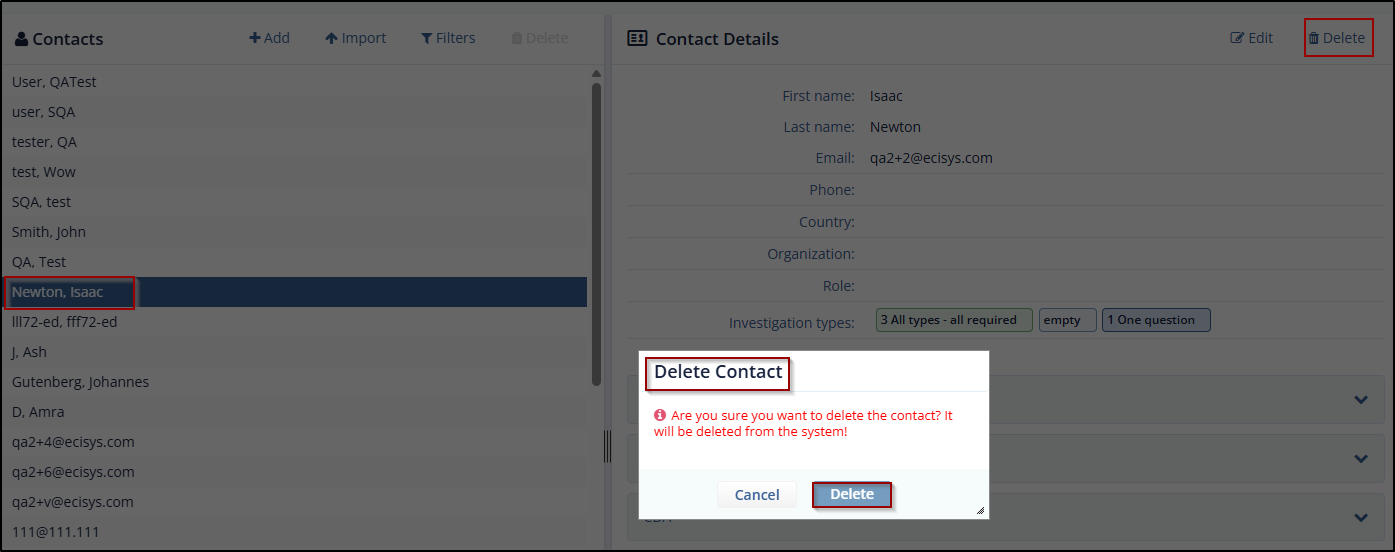
You can delete contact in the following ways:
- Click the Cross icon displayed on the right side of Contacts section.
- Select the contact from the Contacts section.
- Click the cross icon to delete the contact.
- The Delete Contact from this Group pop up window is displayed.
- Click Delete to execute the action.
- Through the Delete button displayed in the Contact Details section.
- Click the Delete button from the Contact Details section. The Delete contact pop up window is displayed.
- Click Delete to execute the action.
© 2025 Trial Interactive. All Rights Reserved

