
Import Contacts in a Group
You can create a group and import contact from the source file simultaneously as explained below.
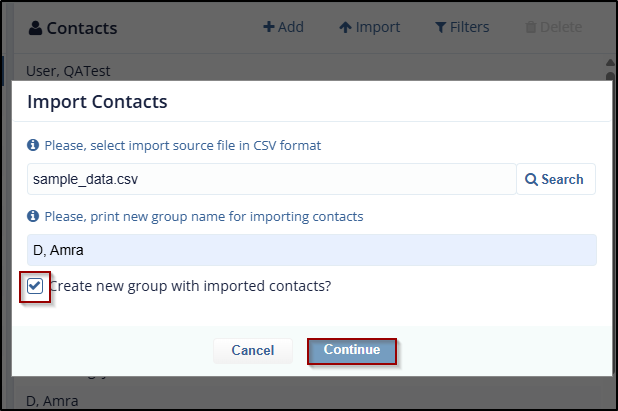
- Select the Create New Group with imported contacts? check the box from Import Contacts dialog box. A textbox with the text New Group Name displays above the checkbox.
- Enter the Group name, select the Source file and then click Continue to import the Source file as discussed in section Import Contacts.
- The Group and Contacts are added to the list.
© 2025 Trial Interactive. All Rights Reserved

