
Form Filters
Form Filters allows users to search forms depending on the applied filters.
To apply a filter on Forms, follow these steps:
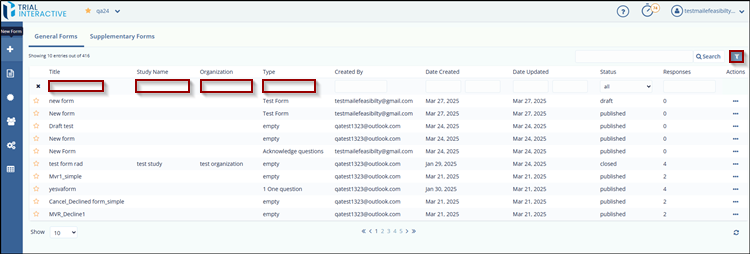
- Click the Filter icon at the top-right corner of the page. Textboxes will appear below each column, allowing the user to filter the list of forms.
- Enter the desired filter criteria in the appropriate textboxes.
The list will automatically update to display forms that match the
selected filters.
© 2025 Trial Interactive. All Rights Reserved

