
Adjust Forms Display
This allows the users to manage/change the number of entries of forms that appear on a Form Dashboard.
To navigate and adjust the Forms List Display, follow these steps:
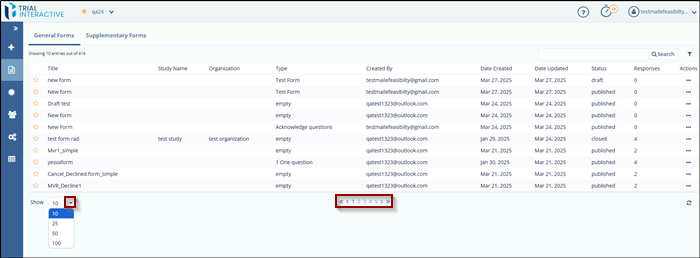
- Click the Show dropdown at the bottom-left corner of the page.
- Select the number of entries (10, 25, 50, or 100) to display per page on the Forms Dashboard.
- Use the pagination controls at the bottom-center of the page to navigate through the
list of forms:
- Click the single arrows (< or >) to go to the previous or next page.
- Click the double arrows (<< or >>) to jump to the first or last page in the list.
- You can also click on any of the page numbers to jump directly to that page.
© 2025 Trial Interactive. All Rights Reserved

