
Delete from Actions.
To delete the Supplementary Form, follow these steps:
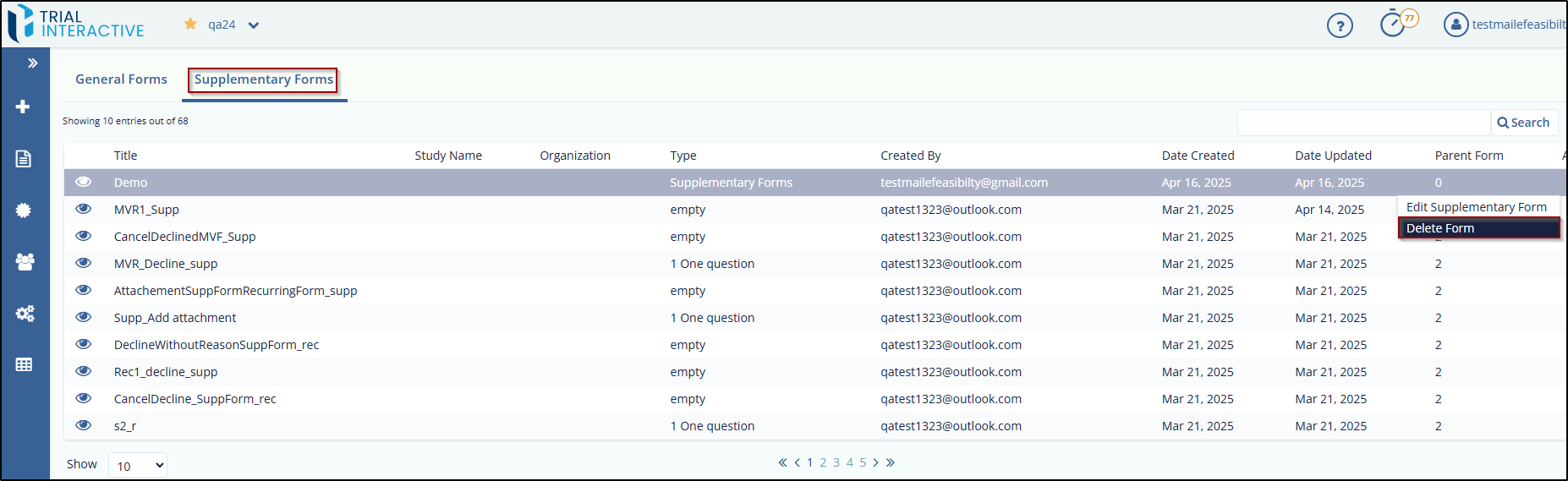
- Click the three dots (ellipsis) displayed in the action’s column for each form.
- The Edit Supplementary Form and Delete Form options are displayed.
- Click the Delete Form option.
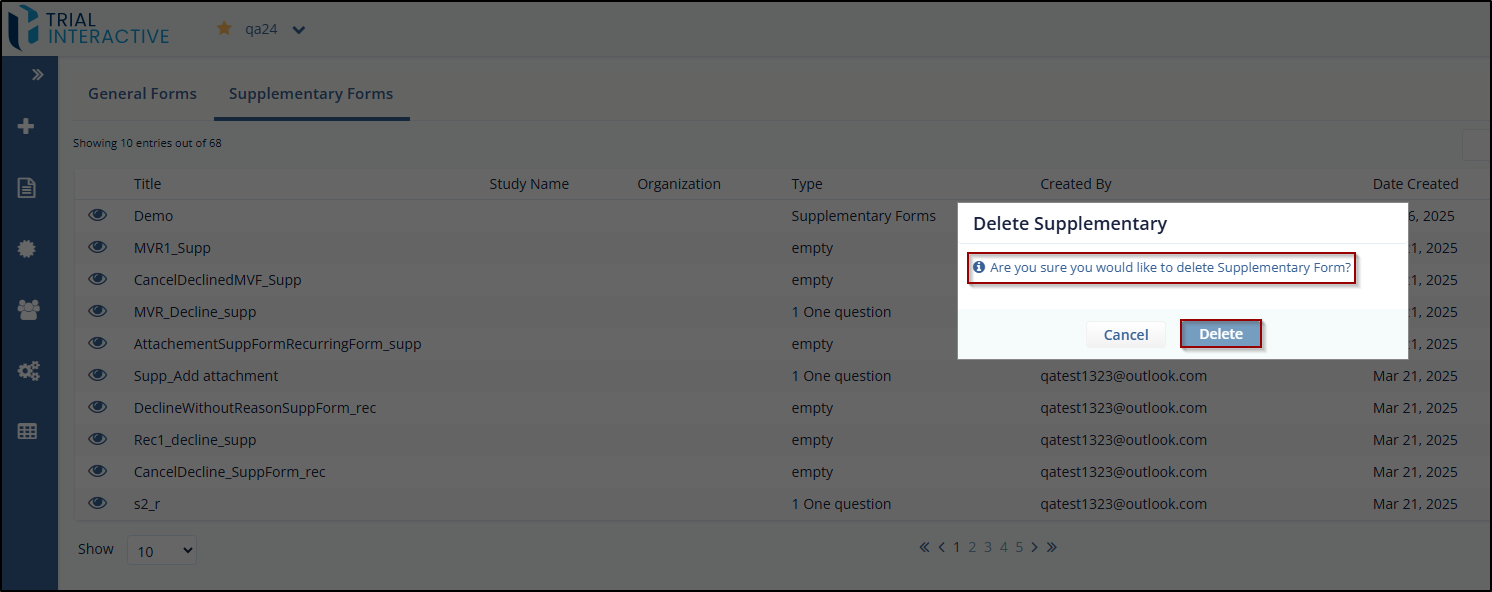
- A Delete Supplementary popup window is displayed with the following question – Are you sure you would like to delete the Supplementary form?
- Click Delete, and the form is deleted.
Note: Once the form is deleted, it cannot be retrieved.
© 2025 Trial Interactive. All Rights Reserved

