
Create from Existing Form
To create from an Existing Supplementary Form, follow these steps:
- Open a required project from the project dropdown available at the top.
- Click the New Form from the left side Menu Bar.
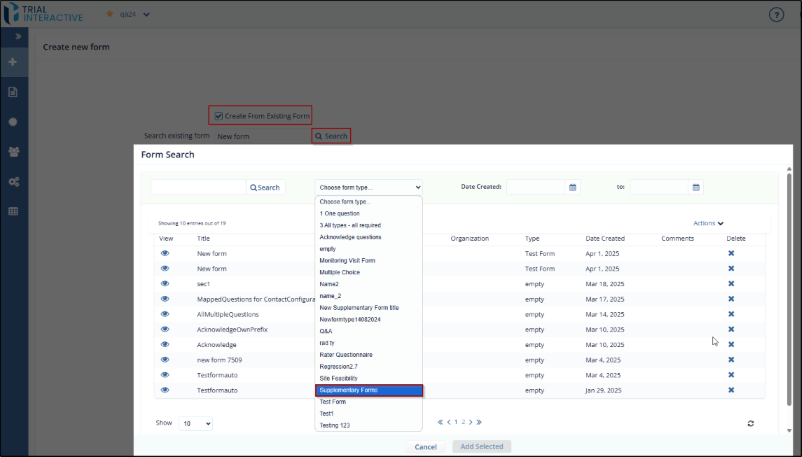
- Select the checkbox of Create from Existing Form displayed at the top of the new form.
- Click the Search button to open the form Search popup window.
- Select a form from the list of available forms. You can also
search for a form in the search bar and apply the required filters
like date and type, if required.
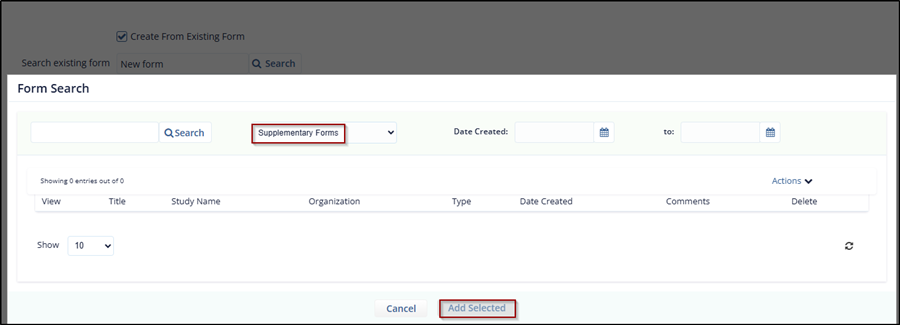
- Click Add Selected. The selected form is
displayed in the Search Existing Form field.
© 2025 Trial Interactive. All Rights Reserved

