
Delete Parent attached Form.
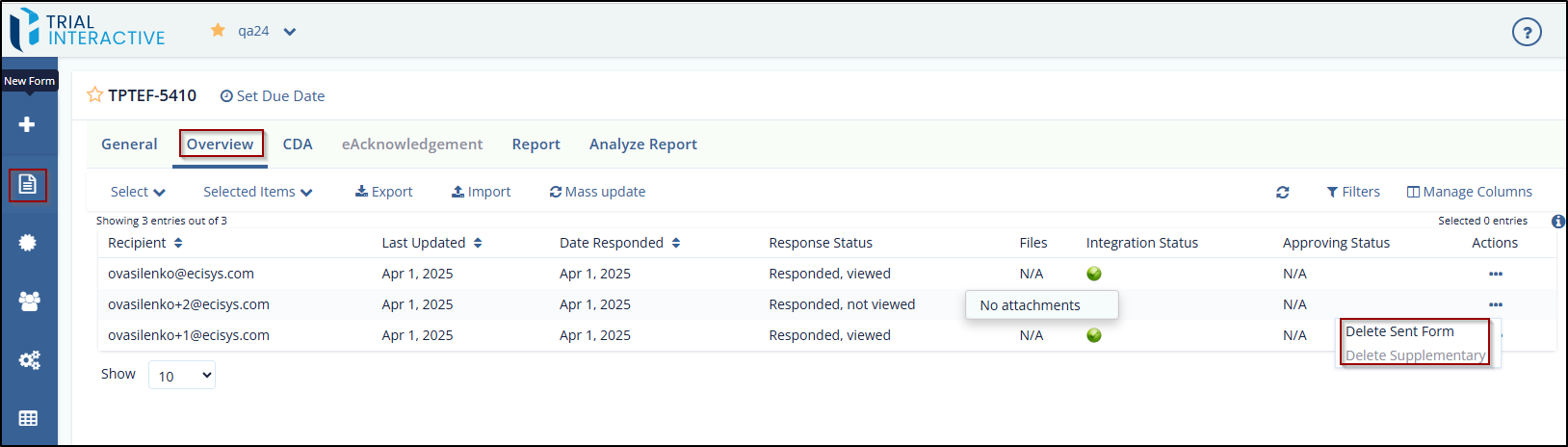
To delete the Supplementary Form attached to a Parent Form, follow these steps:
- Select a form that displays the Published status under Forms. The Overview page is displayed.
- Select the recipient that displays the Responded, Viewed status in the “Supplementary Status” column.
- Click the ellipsis in the Actions column to view the options
–
- Delete Sent Form
- Delete Supplementary
- Click the Delete Supplementary option. The selected form is deleted.
© 2025 Trial Interactive. All Rights Reserved

