
Add Fields from Available Columns to Visible Columns
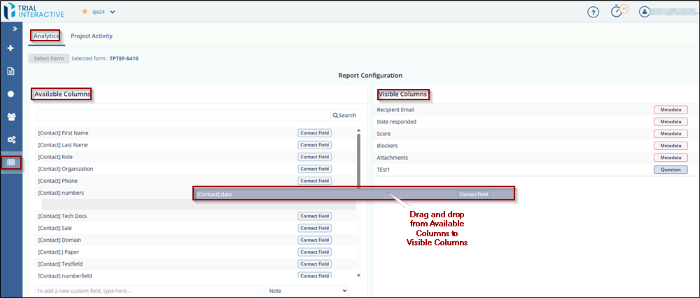
To add Fields from Available Columns to Visible Columns, follow these steps:
- In the Report Configuration dialog box, locate the Available Columns panel.
- Drag and drop the desired fields from the Available Columns panel to the Visible Columns panel.
- The selected fields will appear in the report table and will also be included in
the exported Excel file.
- To change the display order, drag and drop fields within the Visible Columns panel to rearrange their sequence.
- You can also rearrange fields in the Available Columns panel if needed.
© 2025 Trial Interactive. All Rights Reserved

