
Add Custom Fields as Note
Follow the below steps to add a new custom field as Note:
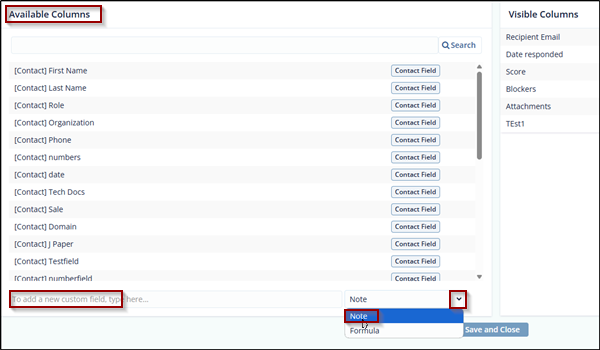
- Type a field name in the textbox below the Available Column fields.
- Select Note form the dropdown. A + sign appears next to the dropdown.
- Click the Plus icon to add the field to the list.
- The new added Note field appears in a green color with edit
icon and cross next to it.
© 2025 Trial Interactive. All Rights Reserved

