
Project Activity
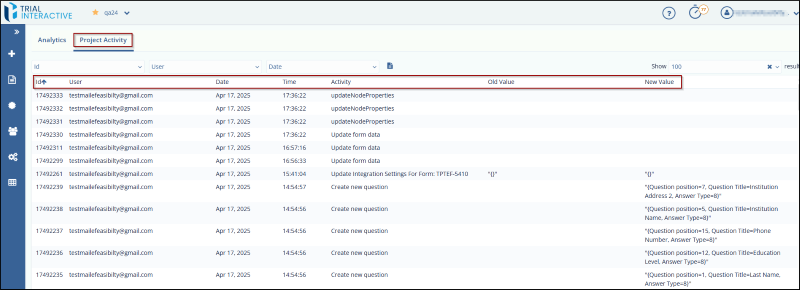
Project activity displays all the activities and the updates that are performed on a particular form in a Project.
The Page contains the following:
- The Filters: Click the Show Filters dropdown menu to view the following filters:
- ID
- User
- Date
- Show Results in the top left corner.
- The Report Parameter icon next to the filters allows you to download the report.
- The table displaying the activity on a form
includes the following columns:
- ID: The unique identifier of the activity performed on the form.
- User: The name of the user who performed the activity.
- Date: The date on which the activity was performed.
- Time: The time at which the activity was performed.
- Activity: A description of the activity that was carried out.
- Old Value: The value present in the form before the update.
- New Value: The value in the form after it was updated.
© 2025 Trial Interactive. All Rights Reserved

