
Report Parameters
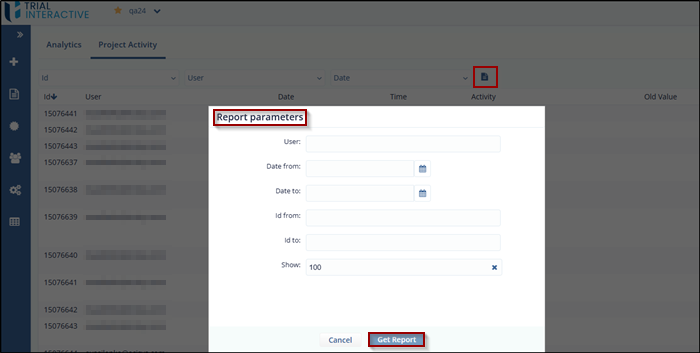
The Report Parameters option allows you to download the Project Activity Report based on the filters and parameters you specify.
To Download the Report, follow these steps:
- From the Project Activity tab, click the Report Parameters icon. The Report Parameters dialog box will open.
- Enter the desired parameters for which you want to generate the activity report.
-
Click Get Report. The report will be downloaded as an .xlsx file, containing the records that match the specified parameters.
© 2025 Trial Interactive. All Rights Reserved

