
Responding to a Query
- Send a response to the SSU Query via the query email.
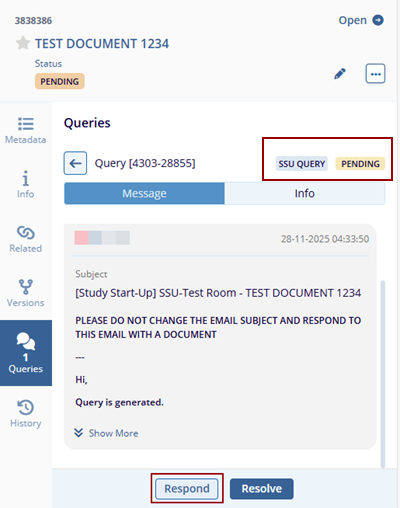
- Verify in the Queries tab that the status updates from Pending to In Progress.
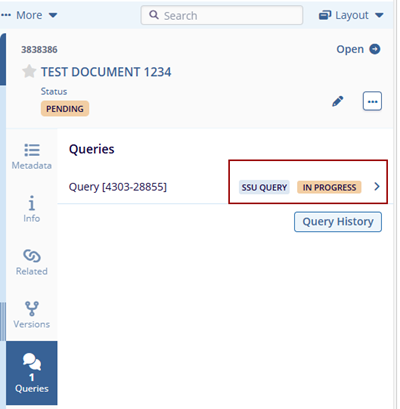
- Navigate to the Query Module and confirm the SSU Query is listed.
- Click Add Assignees to open the Add Assignee pop-up window.
- Select the required assignee(s) and click Send.
- Confirm the success message: Assignees have been added successfully.
- Respond to the SSU query email as required.
© 2025 Trial Interactive. All Rights Reserved

