
Add Groups
-
Click the +Add Group option, the Nested Filter Group is displayed that allows users to define the additional filter conditions using logical operators.
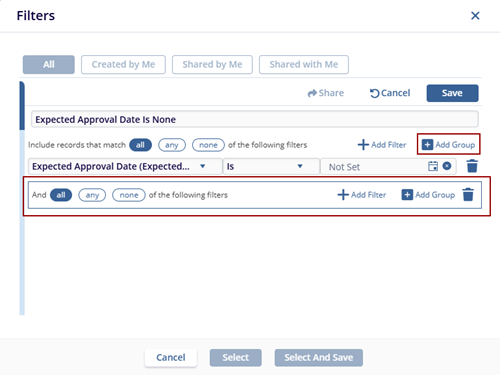
- Click the +Add Filter option. The empty field populates on the page.
- Select a filter option by accessing the dropdown.
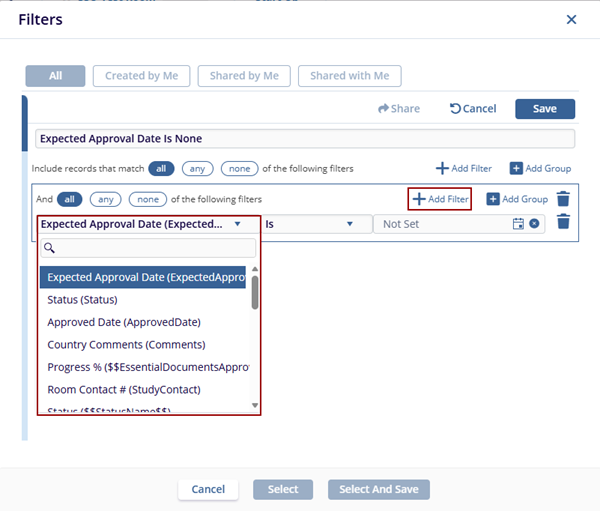
- Follow the steps 03 to 06 from the Add Filter section.
© 2025 Trial Interactive. All Rights Reserved

