
In-App Notification Function
Reference:
Release Notes - MyTI
To keep users informed and engaged, myTI now delivers in-app notifications directly within the Notification Center while users are logged into their eTMF rooms. Notifications provide quick access to view, reference, and complete assigned tasks, improving efficiency and visibility across key workflows.
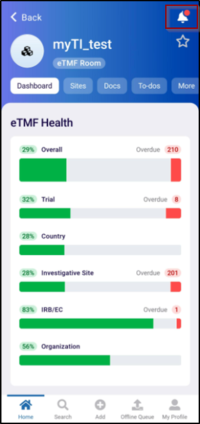
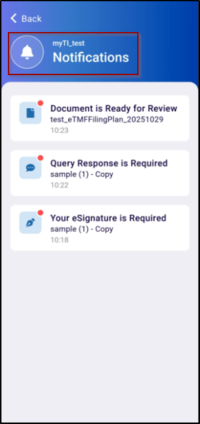
- Notification Bell Icon for Room-Level Activity
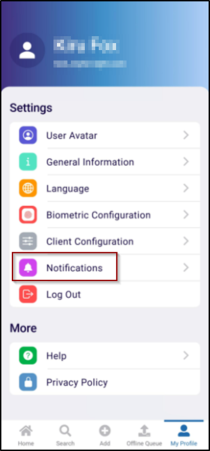
- My Profile - Enable or Disable Notifications option
- Notification Bell Icon for Room-Level Activity
A new Notification Bell icon has been introduced at the room level, allowing users to view and temporarily store notifications specific to that room. This helps users focus on room-related updates without being distracted by unrelated activities.
- My Profile - Enable or Disable Notifications option
Users can now manage their notification preferences directly from the My Profile section. This setting allows them to enable or disable in-app notifications based on personal preferences, providing flexibility and control over the information they wish to receive.
© 2025 Trial Interactive. All Rights Reserved

