
Edit Subject
To edit a subject, follow the steps below.
- On the Subjects tab, click on a subject to edit.
- On the Subject Info tab expand the following sections and make the required changes.
-
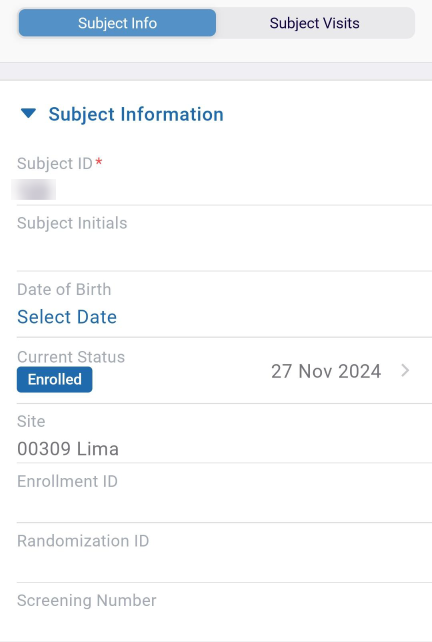
Subject Information: Edit the information in the required fields.
-
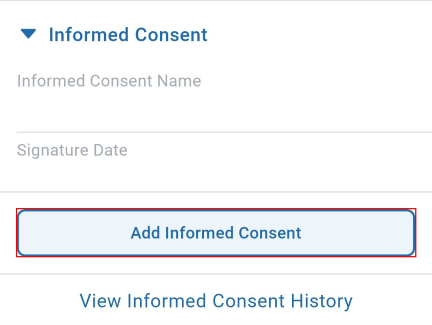
Informed Consent: Enter the informed consent form by clicking the Add Informed
Consent button.
-
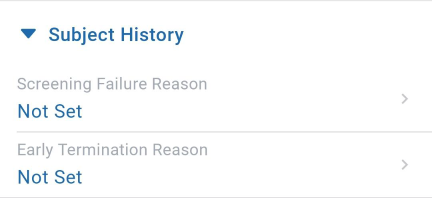
Subject History: Select the screening failure and early termination reason by
clicking the ‘>’ arrow.
-
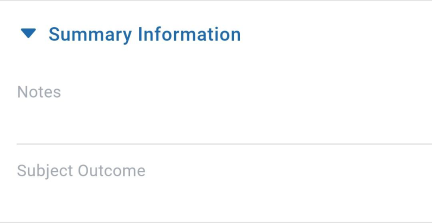
Summary Information: Enter the details of the information as a summary.
-
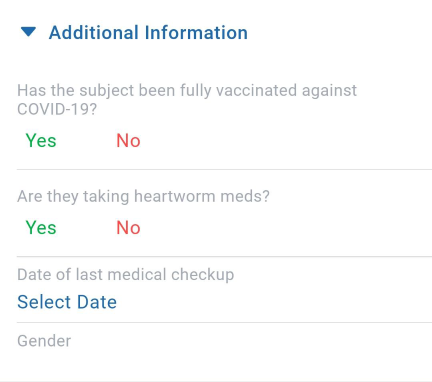
Additional Information: Answer the questions by selecting Yes or No
options and enter the last date of the medical checkup.
-
Subject Information: Edit the information in the required fields.
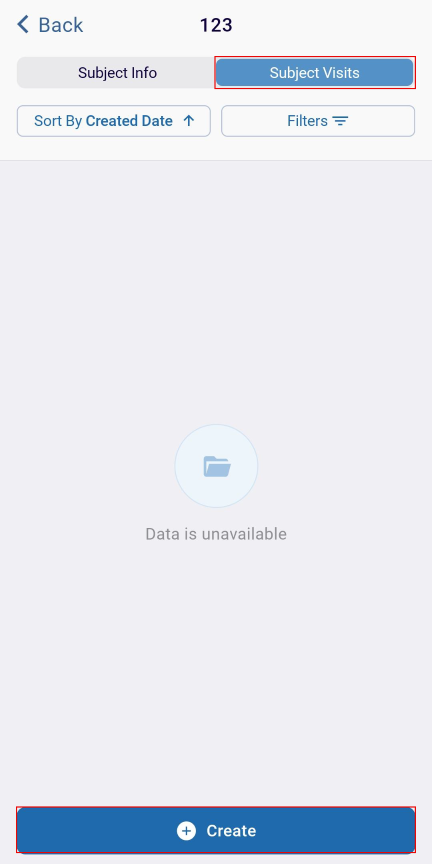
- Click on the Subject Visit tab, and click on the +Create button.
- Once all the changes are made, click on the Save button.
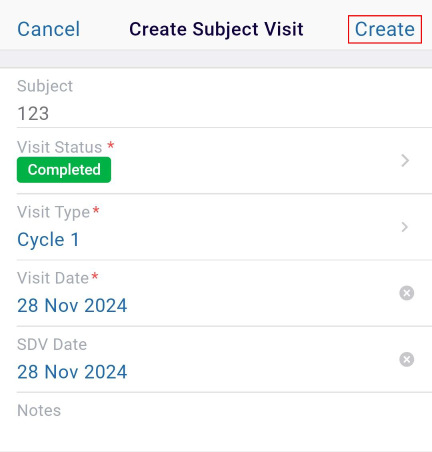
- On the Create Subject Visit screen, fill in the required details and click on the
Create button.
© 2025 Trial Interactive. All Rights Reserved

