
Studies
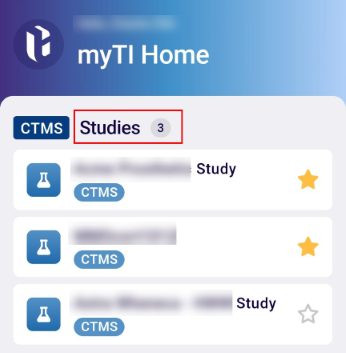
The CTMS-integrated application lists the studies associated with the user. Selecting a study redirects the user to the sites linked to that study.
To access and view the study details in myTI, follow the steps below.
- Click on a study name located under the CTMS – Studies on the myTI Home Page. To mark a
study as a favorite, click on the star icon.
- The study displays the sites associated with its screen. Click on the star icon of a site
to mark it as a favorite. Within the site, users can add Site Visits, Activities, Subjects,
and Contacts from the application.

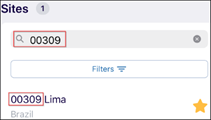
- Enter the search term in the search box and click on the Search button to locate a
particular site from the available list.
© 2025 Trial Interactive. All Rights Reserved

