
Edit Site Contact
To edit a site contact, follow the steps below:
- On the Contacts tab, select a contact to edit.
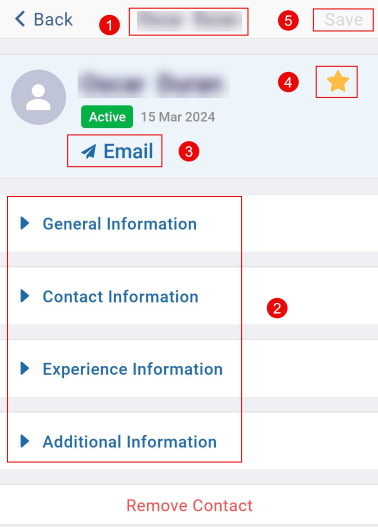
- Make the required edits by accessing the General Information, Contact Information, Experience Information, and Additional Information tab.
- Click on the Email link to send an email to the contact.
- Click on the star icon to mark the contact as a favorite.
- Once all the changes are made, click on the Save button.
© 2025 Trial Interactive. All Rights Reserved

