
User Name Dropdown
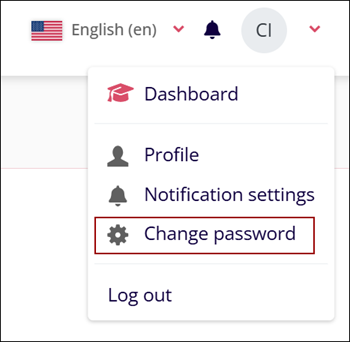
To access the User Name dropdown and associated settings, navigate to the top left corner of the home screen and click the User Name dropdown. The icon will show the user's initials or profile picture if it has been set.
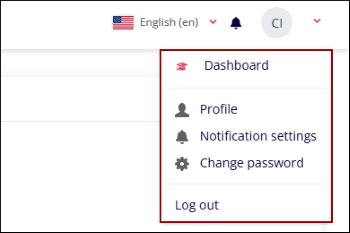
From the user’s name dropdown, users can access the following settings.
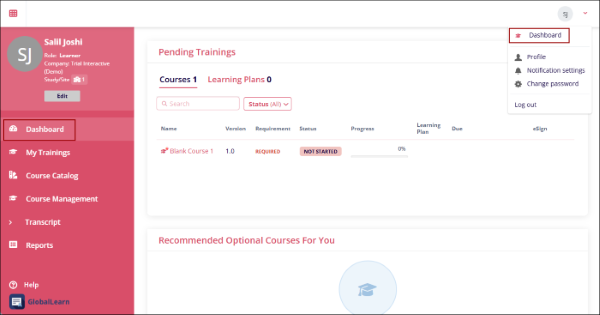
Dashboard
Click on the Dashboard option and it will load the homepage.
Profile
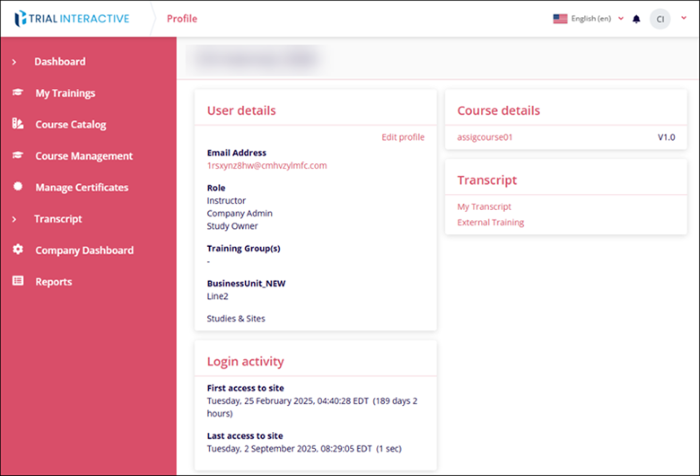
Click on Profile to access the User profile page that shows User and Course Details. Login Activity and Transcript.
Notification settings
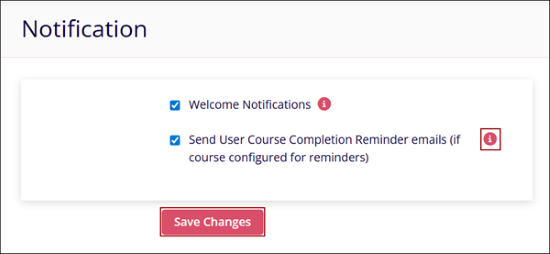
Click on Notification Settings, to access the Notifications page that allows enabling or disabling the welcome notifications and course completion reminders. Click on the checkbox to enable or disable the notification trigger and select Save Changes. Click on the (?) icon to view a tooltip with a description of the particular notification.
Change Password
To change the account password, follow the steps below:
- Click on Change Password from the Username dropdown.
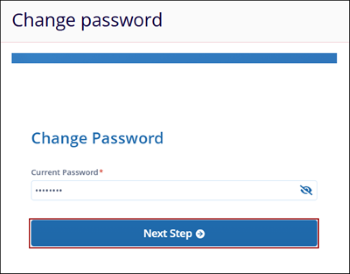
- On the Change Password screen, enter the current account password in the Current Password*
field and click on the Next Step button.
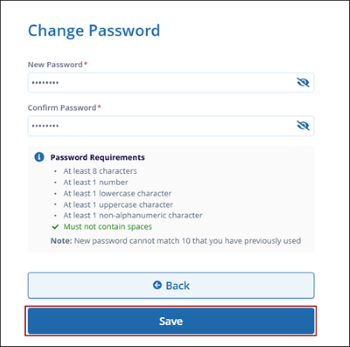
- Enter a new password with at least four characters in the New Password* field. Re-enter
the same password in the Confirm Password* field. Click on the Save button to save
the changes.
Logout
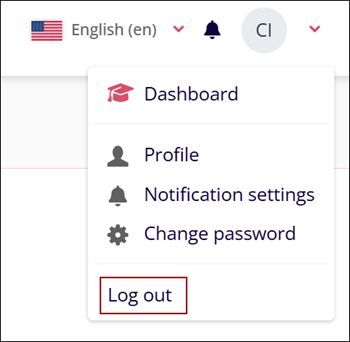
Select the Log out option from the User Name dropdown.
© 2025 Trial Interactive. All Rights Reserved

