
Manage Certificate for Courses
To retrieve certificate details and perform related actions, follow the steps below.
- Navigate to the Manage Certificates > Courses tab and apply the following filters, if
required.
- Study Name/Number
- Training Groups
- Users
- Courses
- Sites
- User Status
- eTMF status
- Certificate Status
- Issue Date
- Click on the Apply button.
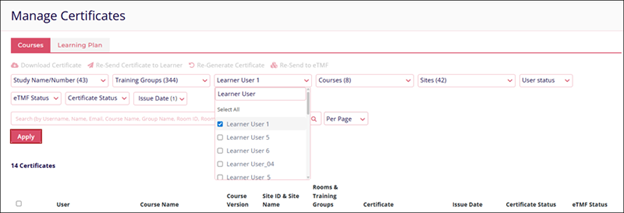
- Based on the criteria applied, the results will be displayed accordingly.
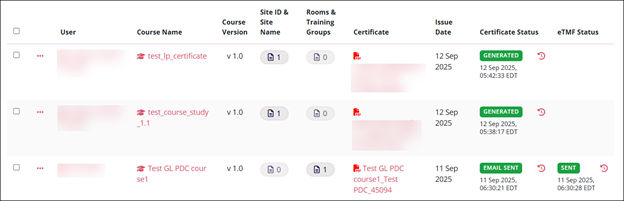
- Select the users by clicking on their respective checkboxes and perform the following
actions.
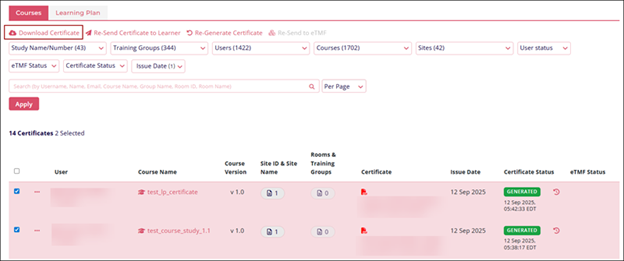
- Download Certificate
- Click on the Download Certificate option.
- A ZIP file having the certificates gets downloaded on the system.
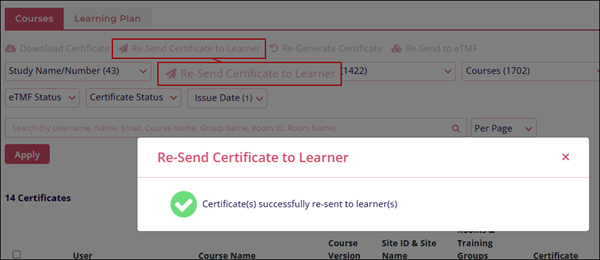
- Re-Send Certificate to Learner
- Click on the Re-Send Certificate to Learner
- The Re-Send Certificate to Learner popup displays the success message.
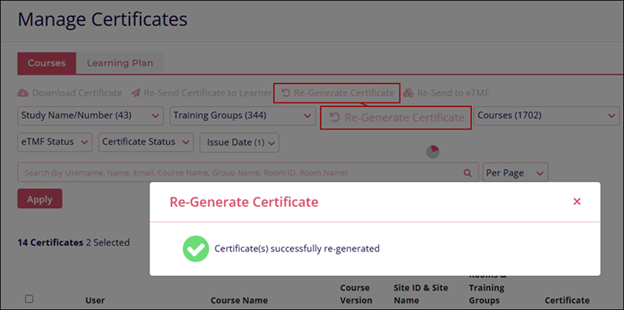
- Re-Generate Certificate
- Click on the Regenerate Certificate option.
- The Re-Generate Certificate popup displays the confirmation message.
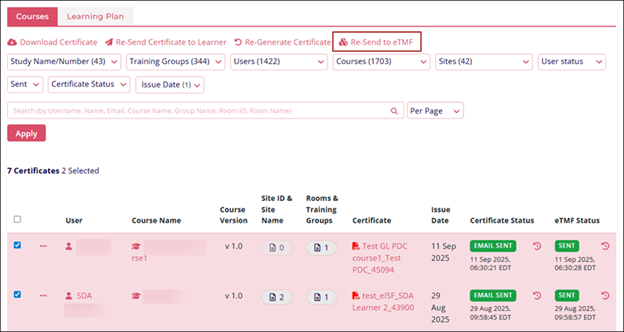
- Re-Send to eTMF – This option becomes accessible when the eTMF integration is enabled
with GlobalLearn.
- Download Certificate
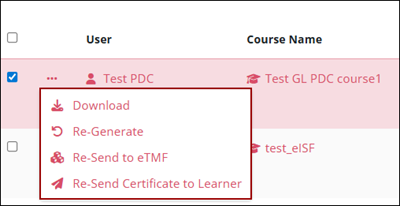
- To perform all the above actions for an individual record, click on the horizontal
ellipsis (three horizontal dots) icon.

TransPerfect’s Trial Interactive is an industry leader in practical, global eClinical innovation
PRODUCTS
 Linkedin
 X
X
Didn’t find what you need?
Our dedicated Project Management and Client Services team will be available to meet your needs
24 hours a day, 7 days a week.
Toll Free:
(888) 391-5111
help@trialinteractive.com
© 2025 Trial Interactive. All Rights Reserved

