
My Submissions
The My Submission dashlet allows users to view the files that have been uploaded right from the document index.
Follow the steps below to view and manage my submissions:
- Navigate to the Dashboard section in the Collaborative Workspace module, located at the top left of the Toolbar.
- User can see the Document section in the dashboard.
- By default, My Submissions is selected and it is a mandatory dashlet. In this, the
user can view the Submitted Documents Chart through the Donut, Bar, and Column view by
selecting it.
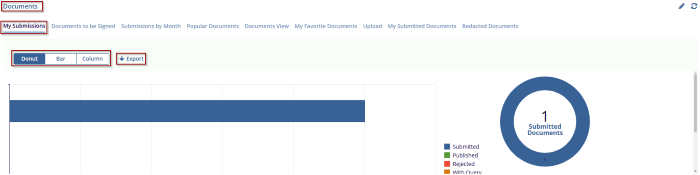
- Click on the Export button next to charts to export data in – Image,
Excel, or Clipboard format.
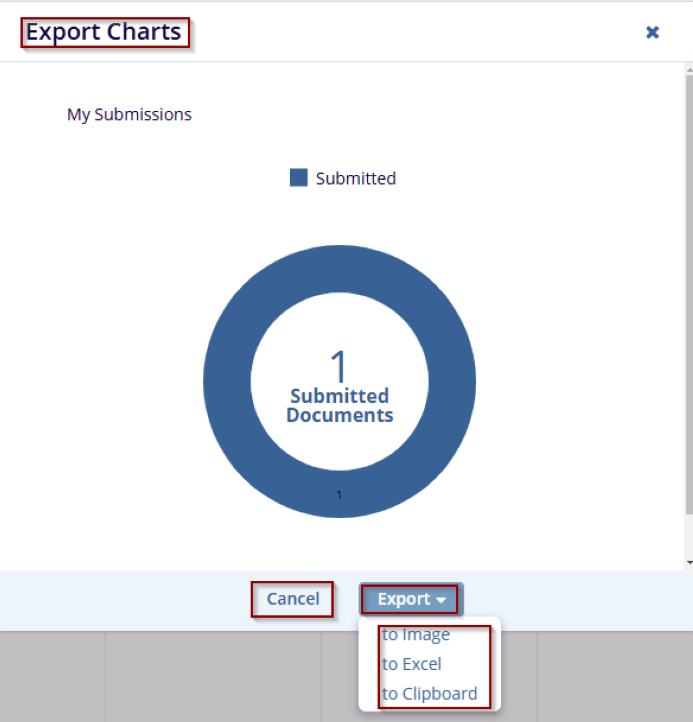
- Click on Cancel to discard the changes.
© 2025 Trial Interactive. All Rights Reserved

