
Contacts
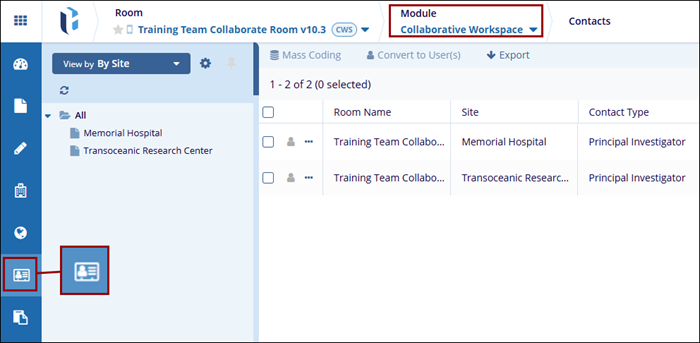
The contacts assigned to a site are shown in the Contacts modal within the Collaborative Workspace module. Users with the necessary access permissions can edit contacts, apply mass coding, convert contacts into users, and export contact details and metadata.
To access the contacts modal within the eTMF module, follow the steps below:
- Click on the modules dropdown and select the Collaborative Workspace module.
- From the left-hand navigation menu, select the Contacts modal.
- The Contacts screen displays the contacts configured within the site and its associated
data in the following columns.
- Room Name
- Site
- Contact Type
- Main Contact
- Email Address
- Full Name
- Provide Document
- Status
© 2025 Trial Interactive. All Rights Reserved

