
Export
To export contacts, follow the steps below:
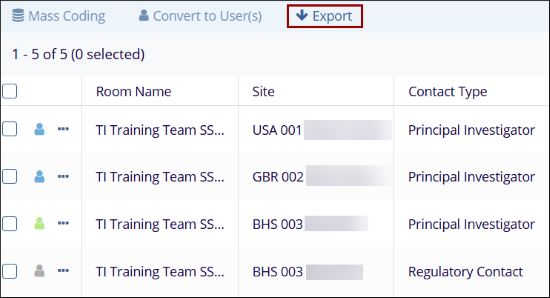
- On the Contacts screen, select users or click the Export button in the top menu
bar.
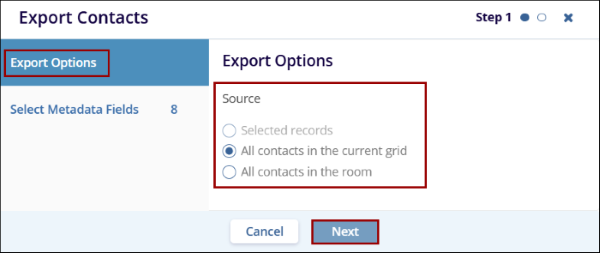
- On the Export Contacts screen, select any one of the export
options and click on the Next button within Step
1.
- Selected records
- All contacts in the current grid
- All contacts in the room Note:
If no contacts are selected, the Selected records radio button will be grayed out.
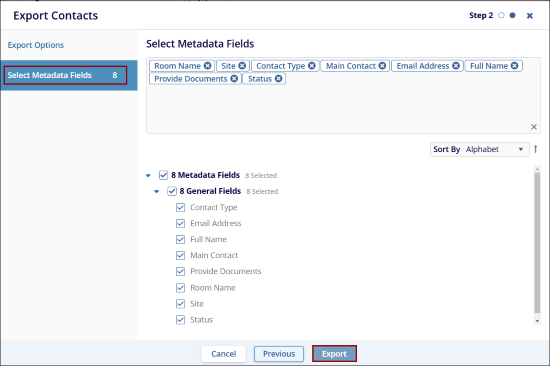
- Within the Step 2, select the required metadata fields and
click on the Export button.
-
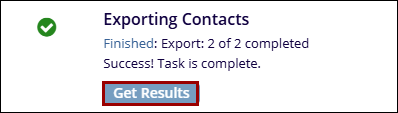
On the Export Contacts popup, click on the Get Results button and download the Microsoft Excel Worksheet on the system.
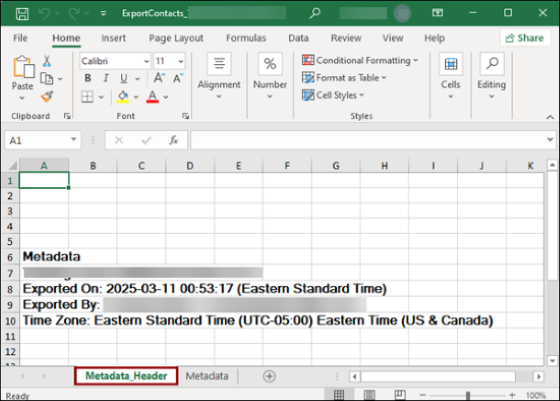
- On the downloaded file, click on the Metadata_Header tab to
view the header details i.e.,
- Room name
- Exported On
- Exported By
- Time zone
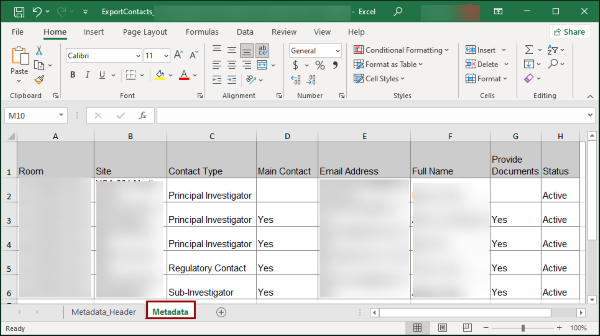
- Click on the Metadata tab, to view the contact details and the metadata.
© 2025 Trial Interactive. All Rights Reserved

