
Common
The users can view and modify the room's Welcome message, which is displayed to all users upon accessing the room. This message area serves as a space for sharing essential information about the study, such as updates, reminders, or key details. Only users with Administrator or Manager access can edit this dashboard by pressing the Edit button with the Pencil icon at the left-side of the dashboard.
After making the desired updates, clicking Save will apply the changes, making them instantly visible to all users in the room, ensuring everyone has access to the latest study-related information.
About this Room
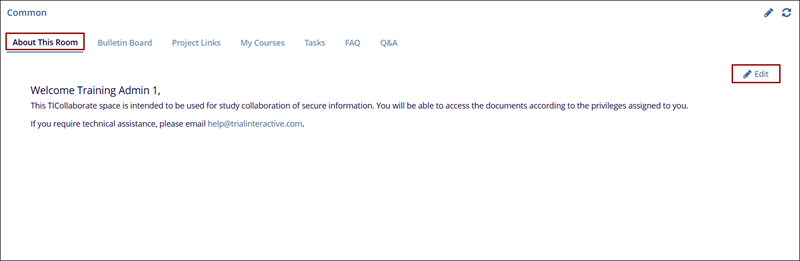
The About This Room tab provides a welcome message and important information regarding the use of the room. This space can be customized to include study details, access requirements, and relevant support information. It mentions the need for Adobe Acrobat Reader for viewing certain documents and includes a link to download it. Users with Administrator or Manager roles can edit this content to ensure that all participants have up-to-date information and resources.
Follow the steps below to use the common section:
- Navigate to the Common dashboard, and click on the About this room tab.
- Review the welcome message and any instructions provided. This message might contain important details about study access, document requirements, and support contacts.
- If the user is an Administrator or Manager, click the Edit button with the Pencil icon in the top right corner to make changes to the welcome message.
- Update the text with any new information or instructions, as needed.
-
After making edits, click Save to apply the changes. The updated message will be immediately visible to all users in the room or click on Cancel to discard the changes.
Bulletin Board
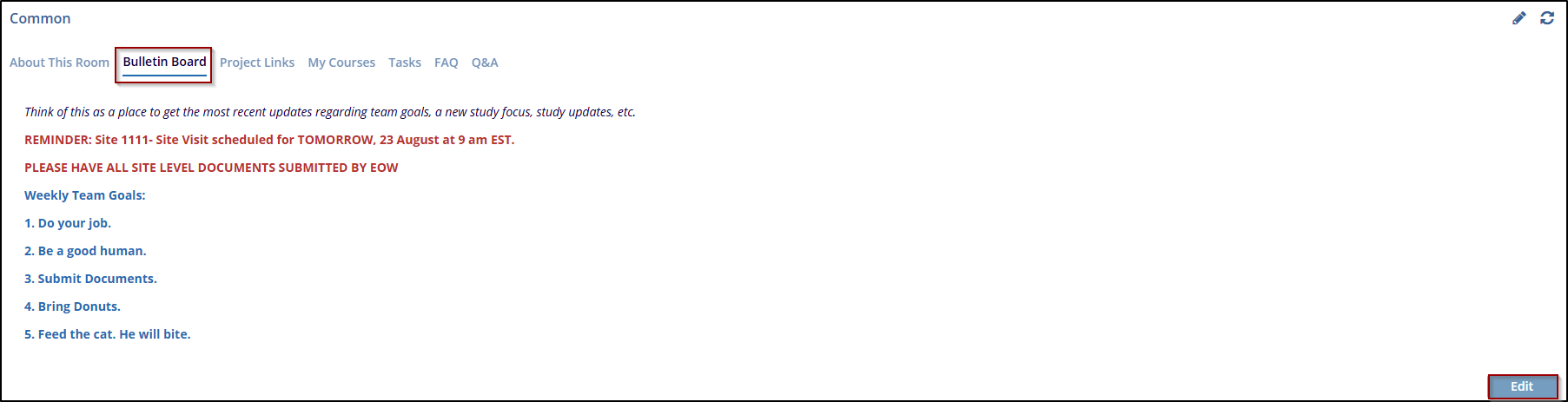
The Bulletin Board tab is set up by administrators to provide important messages and updates to the team. It can include information related to the room, study-related announcements, or updates about any issues or actions needed. This section serves as a central communication hub for keeping all team members informed. Both Administrators and Managers have permission to edit the content in this area, ensuring that relevant information can be updated as needed.
Follow the steps below to use the Bulletin Board:
- Navigate to the Common dashboard, and click on the Bulletin Board tab.
- The Bulletin Board tab will display messages or updates provided by administrators. If there are no messages, it may show No records available.
- If the user is an Administrator or Manager and needs to add or update information, click
the Edit button located at the bottom right of the screen.
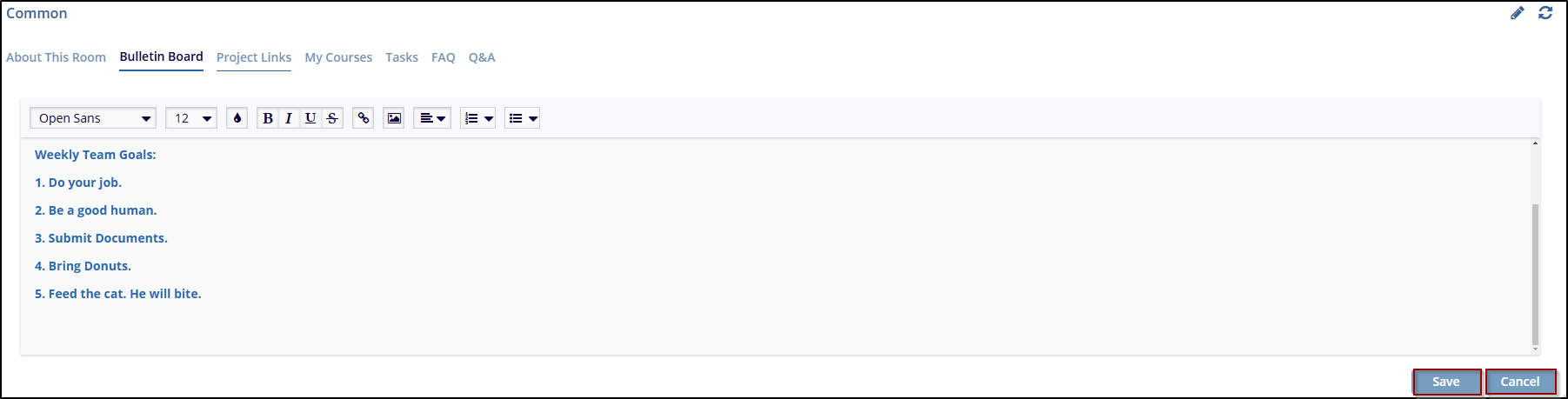
- In Edit mode, enter the message or update the wish to communicate to the team. This can include announcements, study updates, or any relevant instructions.
- After entering the message, click Save to apply the changes. The updated message
will then be visible to all team members on the Bulletin Board.
Project Links
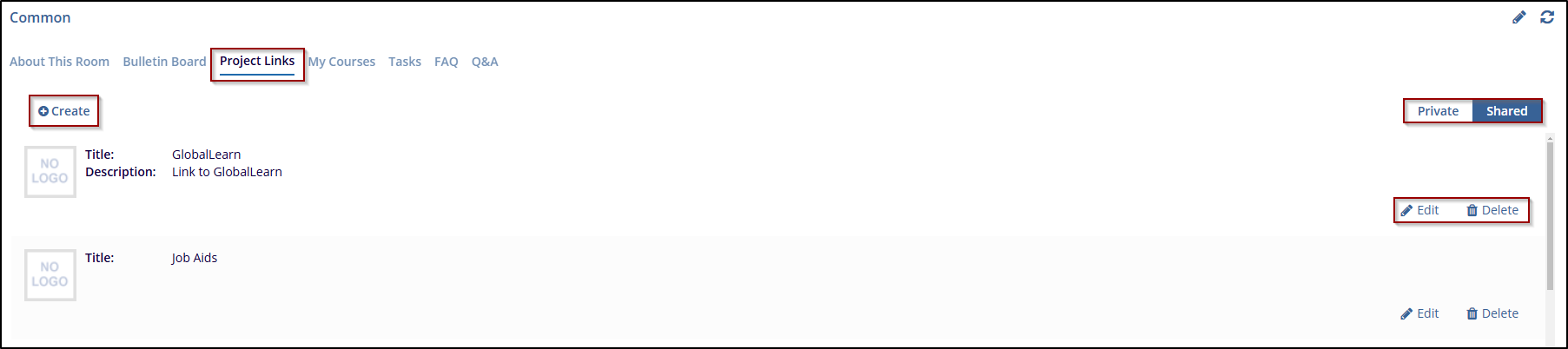
The Project Links tab displays links to various websites and resources used in the study, allowing team members quick access to important external content. Users with Editor-level permissions and above can create new links by clicking the Create button. Each link can be set as Private (visible only to the user) or Shared (visible to all users). This setup allows users to organize and manage external resources effectively.
Follow the steps below to create and edit Project Links:
- Navigate to the Common dashboard, and click on the Project Links tab
- Click the Create button to add a new link to the tab.
- During the link creation process, the user can set the visibility of the link by selecting Private (for personal use) or Shared (for all users to see). This can be done by checking or unchecking the relevant option.
- If the user needs to modify or remove an existing link, click Edit or Delete next to the respective link. Editing allows the user to change details such as the title or URL while deleting removes the link from the tab.
- The list of created links will be displayed under the Project Links tab. Each link
entry shows the title and associated details, giving users quick access to frequently used websites.
Tasks
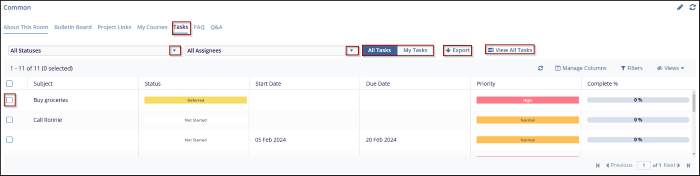
The Tasks tab allows users to track and manage their tasks related to various activities. Each task is associated with specific details such as Subject, Status, Priority, Start and Due dates, and Completion percentage. This section helps users stay organized by displaying all tasks in one place and offering options to filter, sort, and update task statuses.
Follow the steps below to Manage Tasks:
- Navigate to the Common dashboard, and click on the Tasks tab
- Select the Status and the Assignee from their respective dropdown menus to get the task details, including the subject, status, priority, and due date etc.
- If the user working on a task, update the status to reflect the progress (e.g., from Not Started to In Progress or Completed).
- Monitor the Complete % to assess how much of the task has been finished.
- To manage the view toggle between All tasks and My tasks views.
- Click Export to download a copy of the task information for further review or reporting.
FAQ
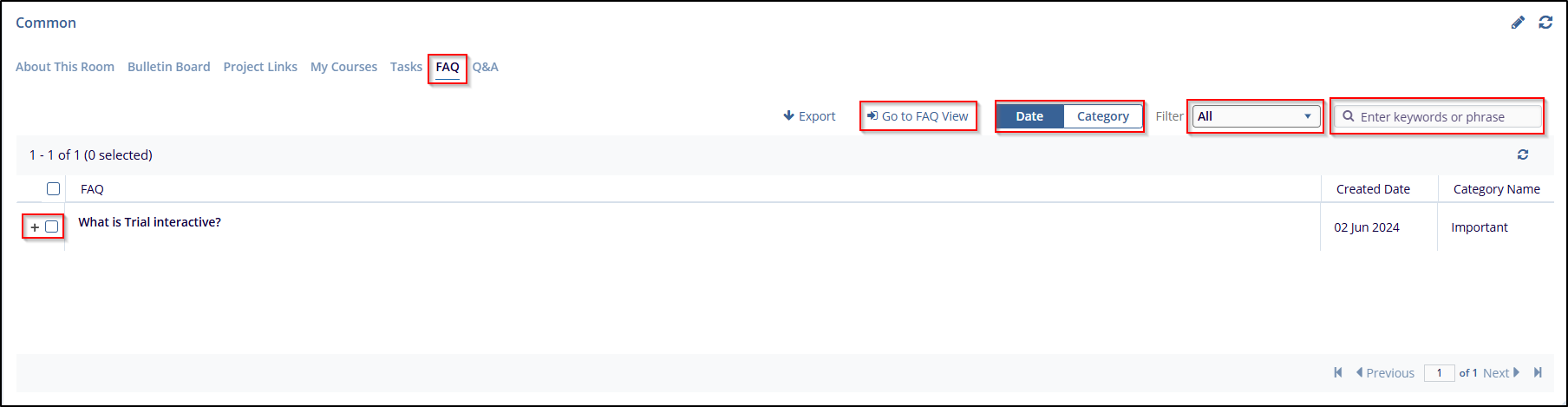
The FAQ tab will display a list of common questions and answers related to the system, processes, or project-specific information. This section helps users quickly find answers to frequently asked questions without needing to contact support or ask team members. It can be used for both operational guidance and addressing common queries about how to use the platform or navigate through processes.
Follow the steps below to Use the FAQ tab:
- Navigate to the Common dashboard, and click on the FAQ tab.
- Click the + sign next to the checkbox to expand and view its answer.
- Use the Date dropdown to sort the FAQs by their creation date (e.g., newest to oldest).
- Use the Category dropdown to filter FAQs by categories like Regulatory Issues, Site Health, etc.
- Use the filter option to search for keywords or phrases in the FAQ section.
- Click Export to save the FAQ data in a suitable format.
- Click View FAQs and take to the FAQ Module, where the user can filter questions and
answer with more options.
Q&A
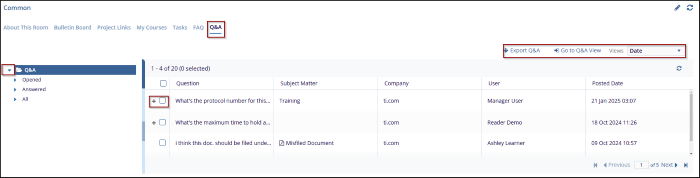
The Q&A tab is designed to help users post questions and receive answers related to various topics. It allows users to interact, resolve doubts, and track questions based on their status (opened or answered). This section also helps in sharing common queries that might be helpful for others.
Follow the steps below to use the Q&A tab:
- Navigate to the Common dashboard, and click on the Q&A tab.
- Use the filter options on the left to view questions based on their status:
- Opened: To see all open and unanswered questions.
- Answered: To view questions that have been answered.
- All: To view both open and answered questions.
- Each question will have a title (e.g., What's the protocol number for this study?) along with relevant details such as the Subject Matter, Company, User, and Posted Date.
- Click the + sign next to the checkbox to expand and view its answer.
- Click Export Q&A to download the list of questions and answers for further reference or reporting.
- Select from the Views dropdown to sort the questions by Date or other available criteria
to prioritize the review of questions.
© 2025 Trial Interactive. All Rights Reserved

