
Activities
To access Site Visit Activities, follow the steps below:
- Navigate to the Site Visit General Information screen by following the steps detailed in the Site Visit Navigation section and click on the Activities link.
- Click on +Add Activities dropdown and select
+Add Activities.
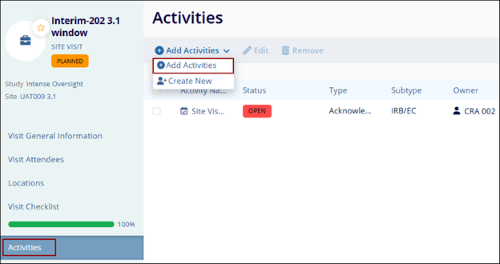
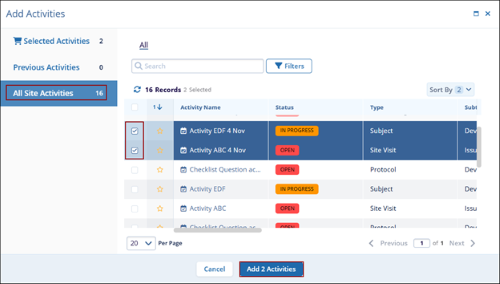
- On the Add Activities screen click on the All Site Activities option.
- Select the activity name by clicking on the checkbox.
- Once the activities are selected, click on the Add Activities button.
© 2025 Trial Interactive. All Rights Reserved

