
Edit Site
To edit site profiles, follow the steps below.
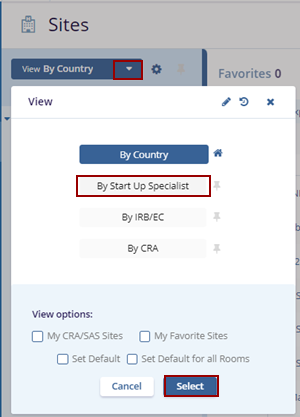
- Access the View By dropdown, select ‘By Startup
Specialist’, and click on the Select button.
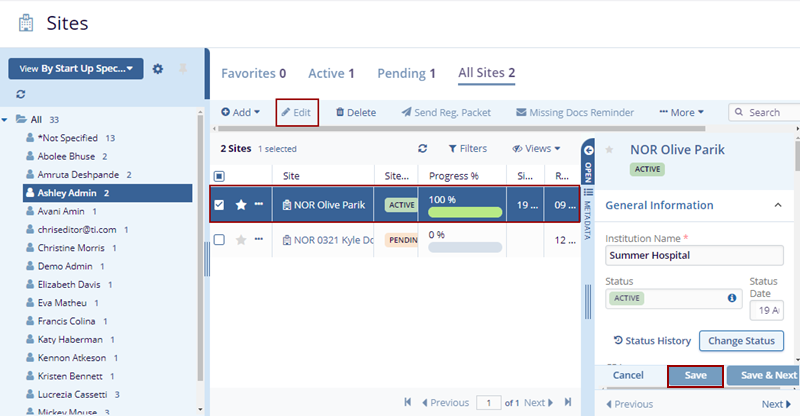
- Select a site profile and click the Edit button in the menu bar to open the Site Profile in the metadata panel on the right side of the screen.
- Make edits to the site details and click on the Save button. The changes get
saved.
© 2025 Trial Interactive. All Rights Reserved

