
Edit Log
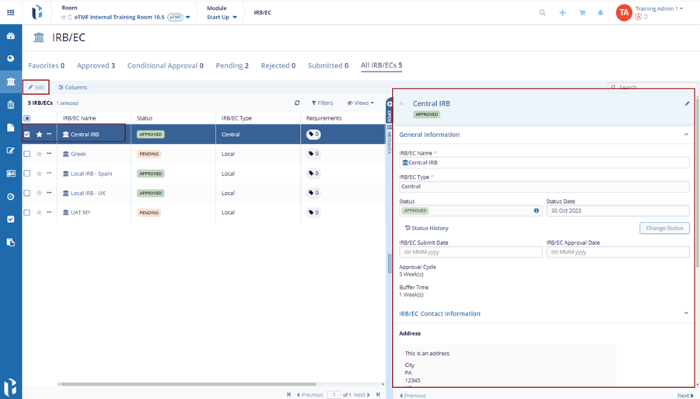
- Select the IRB/EC from the grid. The metadata panel is displayed on the right side of the screen for editing.
- Click the Edit button displayed on
the top menu bar. This opens a metadata panel on the right side of
the screen.
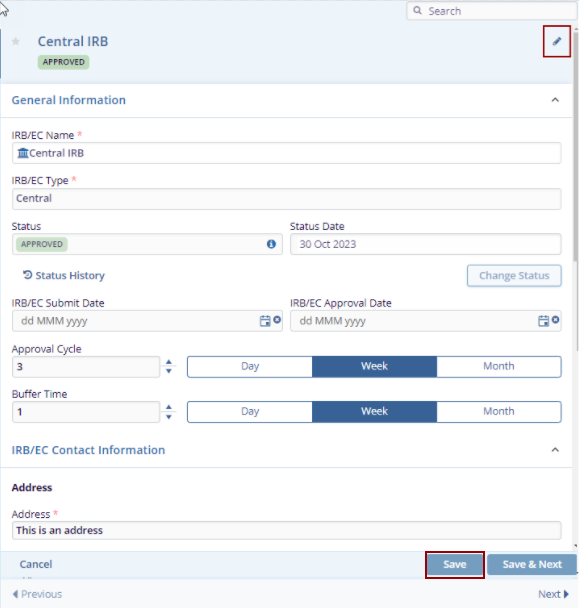
- Click the Edit icon available on the top right in the metadata panel then only the fields get editable. Make the changes in the required fields and click the Save button at the bottom of the metadata panel.
- The saved changes are reflected in the grid pane.
© 2025 Trial Interactive. All Rights Reserved

