
Search and Filter
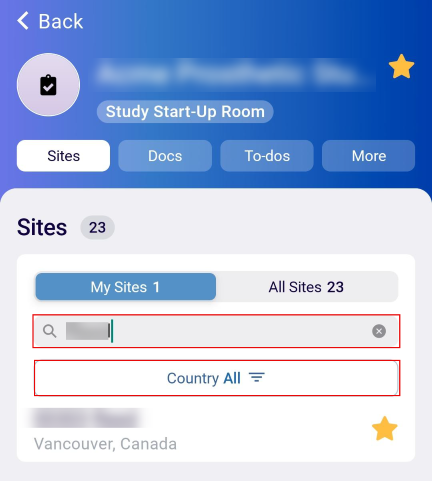
Users can customize the site tab by applying filters and searching for a specific site by accessing the search box.
To customize the Site tab, follow the steps below:
- On the Sites tab, click on the My Sites tab and enter the search term in the search box to retrieve a specific site.
- Click on the star icon to mark the site as a favorite.
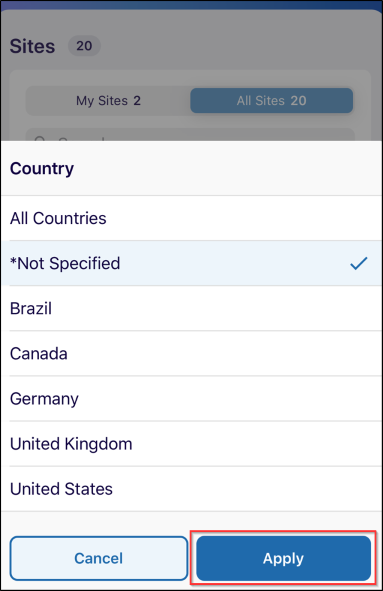
- Click on the Country Filter.
- Select a country and click on the Apply button.
- Click on the All Sites tab and follow the similar steps of searching and filtering.
© 2025 Trial Interactive. All Rights Reserved

