
Password
To change the account password, follow the steps below:
- Click on the My Profile tab on the MyTI home page.
- Click on the Password option located under the Settings section.
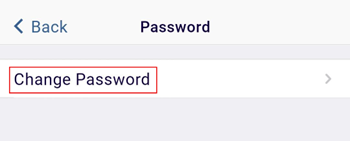
- Click on the Change Password link.
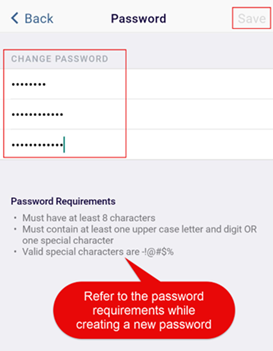
- On the Password screen, update the following fields adhering to
the Password Requirements.
- Current Password: Enter the existing password in this field.
- New Password: Enter a new password adhering to the password requirements.
- Confirm Password: Re-enter the new password to confirm.
- Click on the Save button.
- Log out from the application and log in again with the new password.
| Note: By default, the password is set for the 1st time user. |
© 2025 Trial Interactive. All Rights Reserved

