
Document Activities Menu
Explore Job Aids and Videos for more help:
Job Aids
Videos
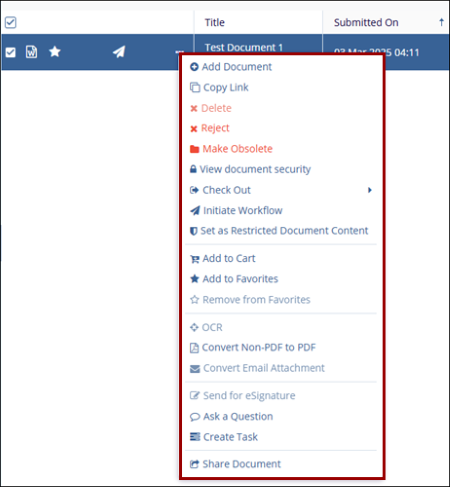
The Document Activities Menu provides access to various actions based on the user’s access rights. To open this menu, select a document or placeholder from the Grid and either right-click or click on the three-dot menu.
Note:
The view displayed above is that of a Room Administrator. The options available will vary based on the individual user access rights.
© 2025 Trial Interactive. All Rights Reserved

