
Templates
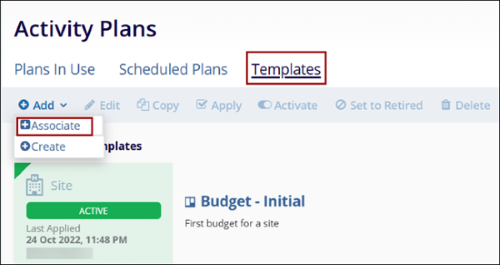
To associate an existing template, follow the steps below:
- On the Templates tab, click on the +Add button and select
+Associate option.
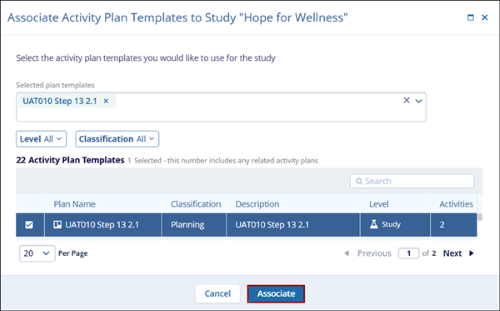
- On the Associate Activity Plan Templates to Study screen, select the plans and click
on the Associate button.
Note: Refer to Activity Plan Templates for standard steps to create new template,
edit, copy, apply, activate, set to retired and delete activity plan template
records.
© 2025 Trial Interactive. All Rights Reserved

