
Site Visit Out of Window Reason
Add a site Visit Out of Window Reason
To add a site visit out-of-window reason, follow the steps below:
- To access the Study Settings section, follow the steps detailed in the Study Settings section.
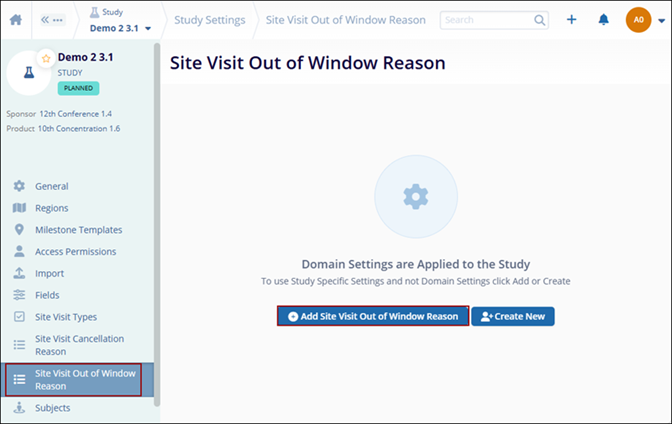
- On the Study Settings screen, click on the Site Visit Out of Window Reason option from the left-hand navigation pane.
- Click on the +Add Site Visit Reason Cancellation button.
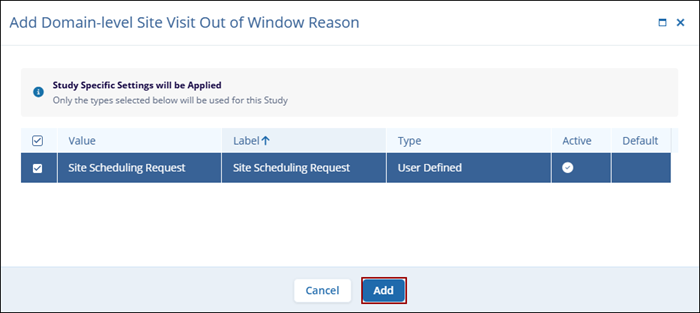
- Select a reason from the available options and click on the Add
button.
Create New Site Visit Out of Window Reason
To create a new site visit out of window reason, follow the steps below:
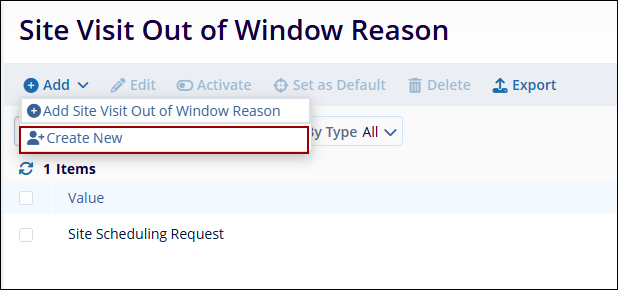
- On the Site Visit Out of Window Reason, click on the +Add button and select the
+Create New option.
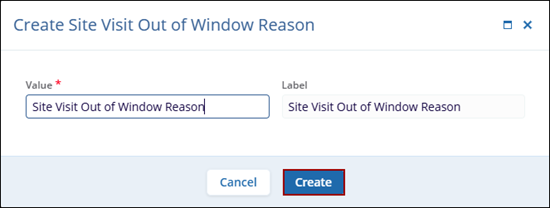
- On the Create Subject Visit Out of Window Reason modal, specify the value and click
on the Create button.
© 2025 Trial Interactive. All Rights Reserved

