
Informed Consents
Add Informed Consents
To add informed consent, follow the steps below:
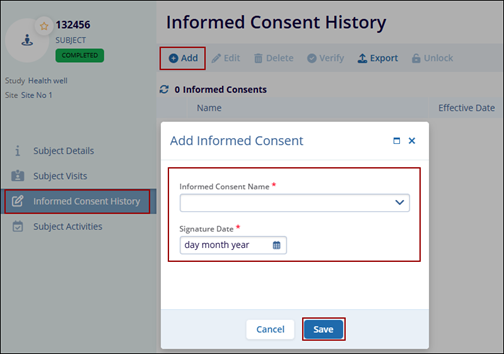
- On the Subject Details screen, click the Informed Consents link from the left-hand navigation pane.
- Click on the +Add button from the top menu bar.
- On the Add Informed Consent form, fill in the following mandatory details
- Informed Consent Name*
- Signature Date*
- Click on the Save button.
Verify Informed Consent
To verify informed consent, follow the steps below:
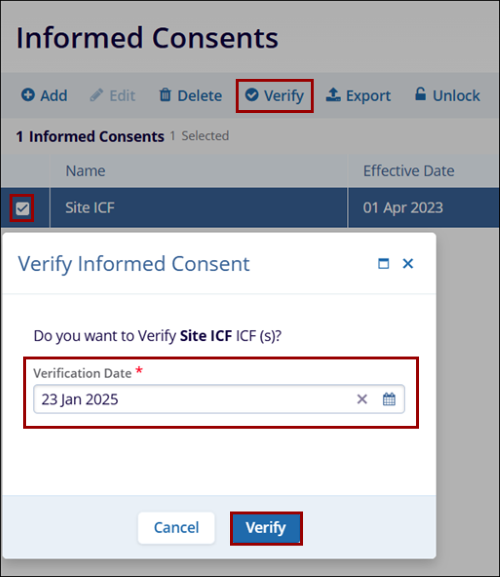
- Select the informed consent by clicking on the checkbox.
- Click on the Verify button from the top menu bar.
- On the Verify Informed Consent popup enter the Verification Date*
- Click on the Verify button.
Note: The Edit, Delete, and Export functionalities are similar across
other modules.
© 2025 Trial Interactive. All Rights Reserved

