
Approval Workflow
To send an activity for approval workflow, follow the steps below:
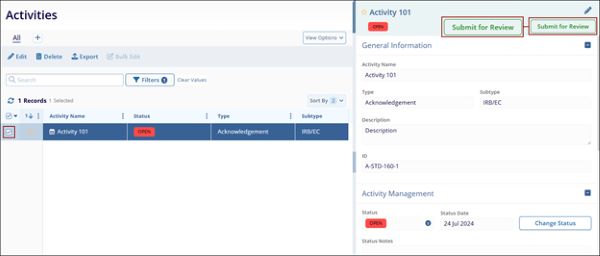
- Select an activity from the list and open the quick view panel.
- Click on the Submit for Review button.
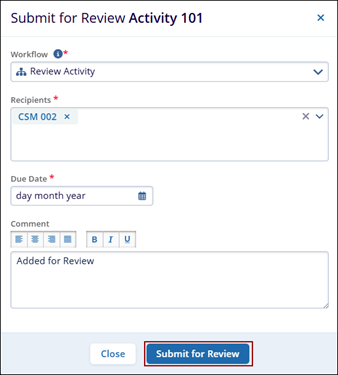
- Fill in the required details and click the Submit for Review button.
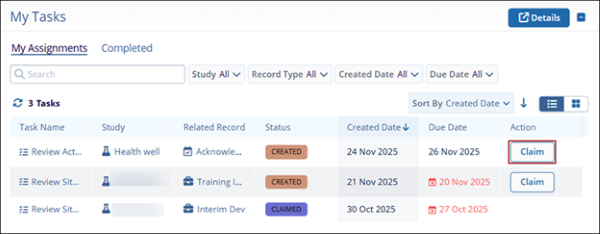
- As the user added as the recipient, access the My Tasks dashlet and click
Claim.
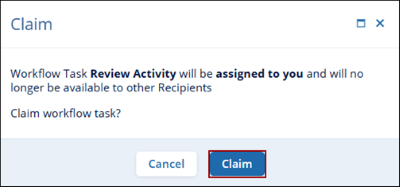
- On the Claim pop-up, click on the Claim button.
- Click on Review Activity on the My Tasks dashlet.
- On the Workflow Task Review Activity pop-up, click on Open Activity.
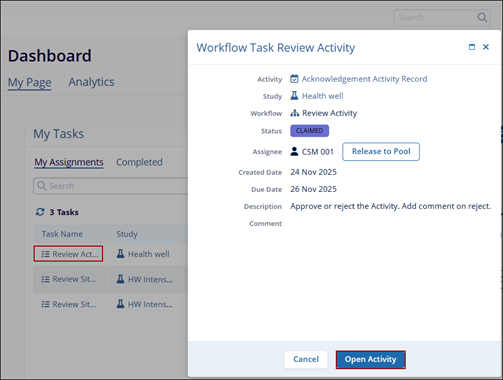
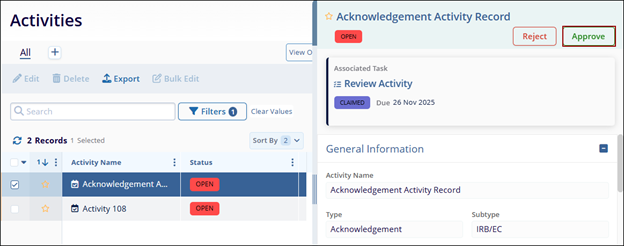
- The Activities page opens with the activity pre-selected. Open the metadata panel.
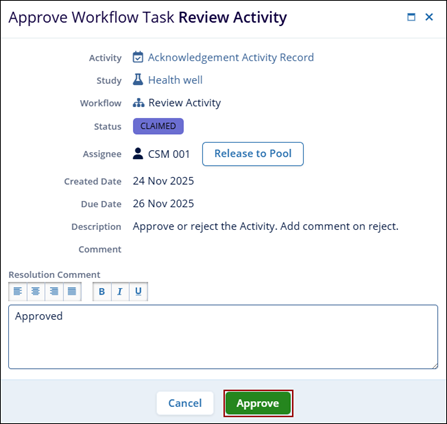
- To approve the activity, click on the Approve button.
- Enter the Resolution Comment and click Approve.
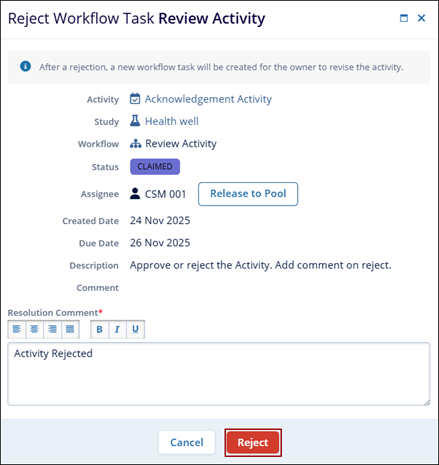
- To reject an activity, click on the Reject button.
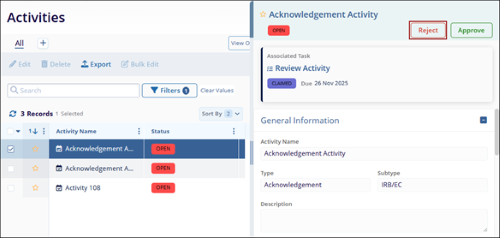
- Enter the resolution comment and click Reject.
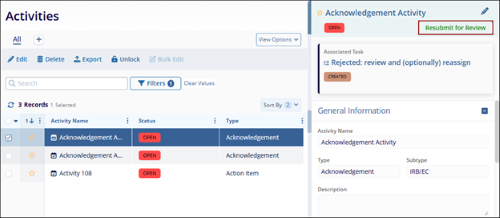
- As a user responsible for submitting the activity to the workflow, access the
metadata panel and click Resubmit for Review.
© 2025 Trial Interactive. All Rights Reserved

