
Training Group Catalog Mapping
To associate training groups with the catalog, follow the steps below.
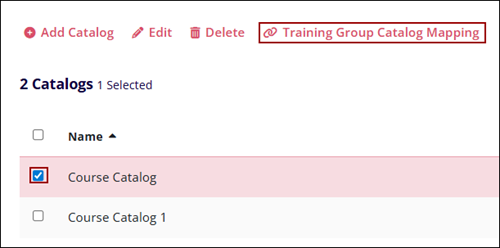
- Select a catalog by clicking on its checkbox.
- Click on the Training Group Catalog Mapping icon from the top menu bar.
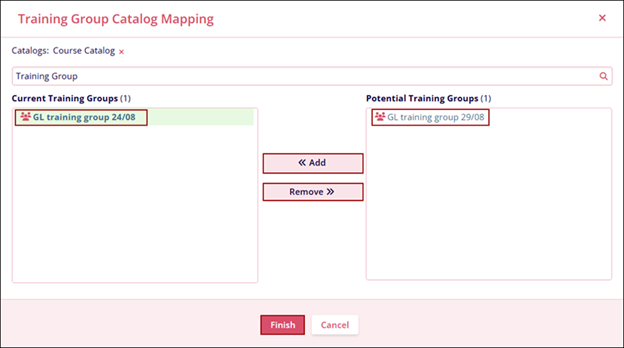
- On the Training Group Catalog Mapping screen, add the required number of sites to Current Sites by selecting a site and clicking on << Add button.
- To remove training groups, select a training group from the Current Training Groups section and click on the Remove >> button.
- Enter the training group name in the Search site search box to search for a specific site.
- Click on the Finish button once the required training groups are added.
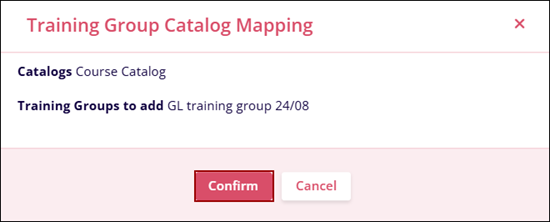
- Click on the Confirm button on the Training Group Catalog Mapping
confirmation popup.
© 2025 Trial Interactive. All Rights Reserved

