
Sidebar Navigation
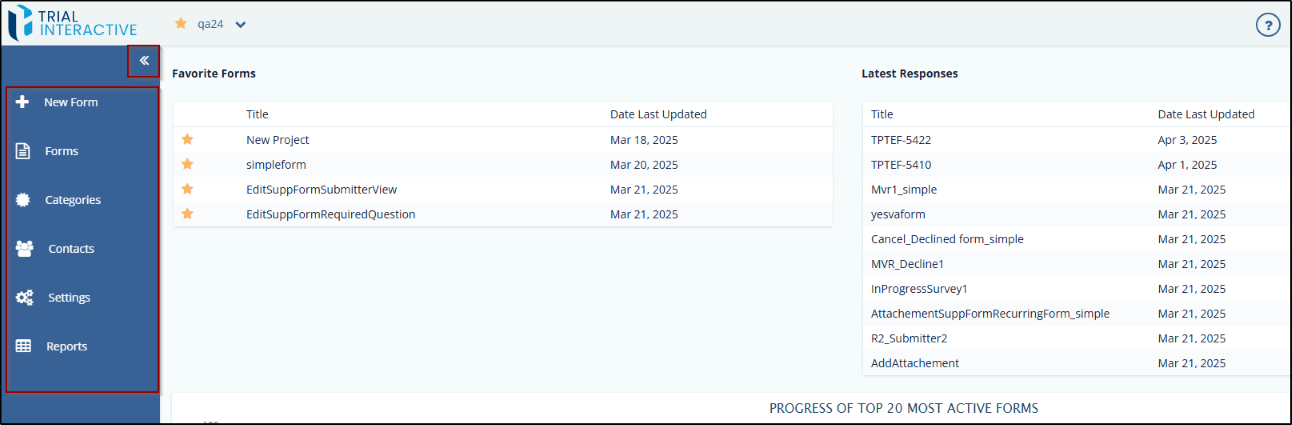
The Toggling Side Navigation on the left of the dashboard allows you to access several functionalities. The functionalities appearing here are based on the accessibility level of the user. Click the double arrow to expand or collapse the Toggle Sidebar Navigation. Click each marked area for further details of the functionality.
This appears as a dropdown. It displays the list of projects, which are assigned to you, and allows you to switch between projects, if you are assigned to multiple projects. It also allows you to mark a project as favorite by clicking the star next to the project name which then changes its color to grey.
© 2025 Trial Interactive. All Rights Reserved

