
My Tasks
The My Tasks dashlet displays key attributes related to the task such as activity type, activity subtype, activity record name, study name, site name, task/workflow step completion due date, site visit name, site name, study name, visit end date, task/workflow step completion due date etc.
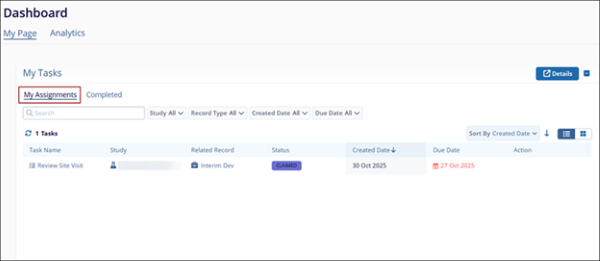
My Tasks Views
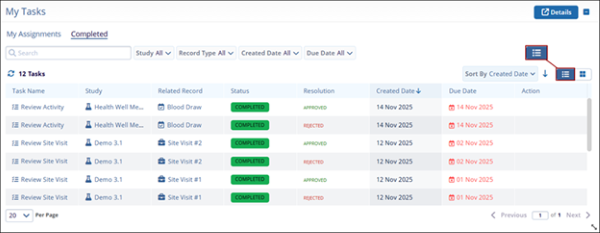
To configure the My Tasks dashlet views, follow these steps:
- Go to either the My Assignments or Completed tab and select List View to display the
tasks in a list format.
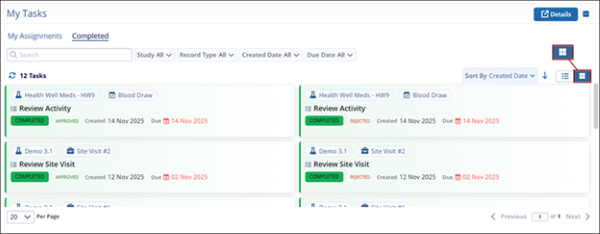
- Select Card View to display your tasks in a card-style layout.
My Tasks – Filters
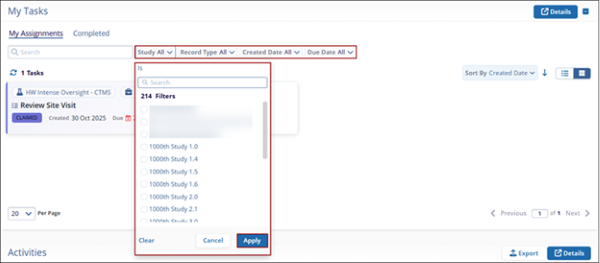
To apply filters to the My Tasks dashlet, follow the steps below:
- Click on the following filter dropdown.
- Study
- Record Type
- Created Date
- Due Date
- Select the filters and click Apply.
My Tasks – Details
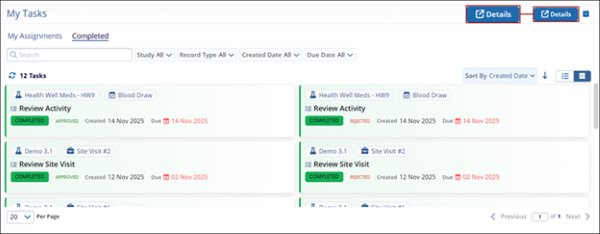
To open the list of tasks in a different modal window, click on the Details button on the Activities dashlet.
© 2025 Trial Interactive. All Rights Reserved

