
Domain Activity Records
Set Domain Activity Records to Inactive
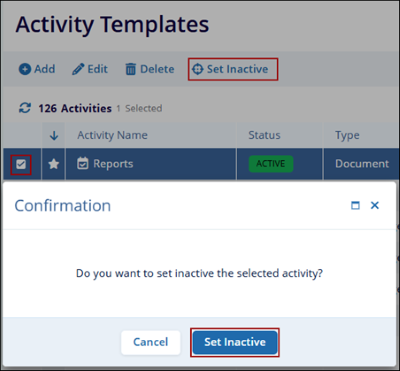
To set an active activity record to inactive, follow the steps below.
- Navigate to the activity name to edit and click the checkbox of the activity name with an Active status.
- Click on the Set Inactive button from the top menu bar.
- Click on Set Inactive on the confirmation popup.
Set Domain Activity Template Records to Active
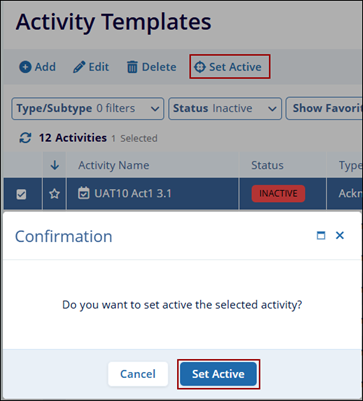
To set an activity template record as active, follow the steps below.
- Click the checkbox of the activity name with an Active status.
- Click on the Set Active button from the top menu bar.
- On the Confirmation popup, click on the Set Active button.
Delete Domain Activity Records
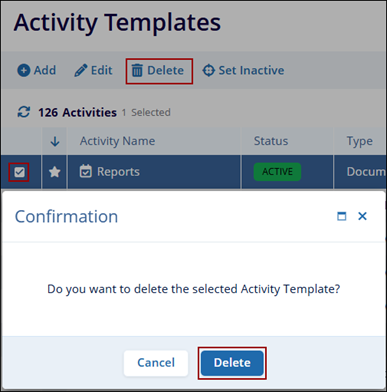
To delete Domain Activity Template Records, follow the steps below.
- Navigate to the activity name to edit and click the check box of the activity name.
- Click on the Delete button on the top menu bar which opens the quick view panel.
- Click on the Delete button on the confirmation popup.
© 2025 Trial Interactive. All Rights Reserved

